
Wedding Photographer Theme for Ghost: Galleries, Collections and an Enquiry Form
A step-by-step guide to the Wedding Photographer theme for Ghost: show your best work, set your collections and prices, turn on the enquiry form, and share full wedding galleries on the journal.

Michal Wlosik
· 5 min read
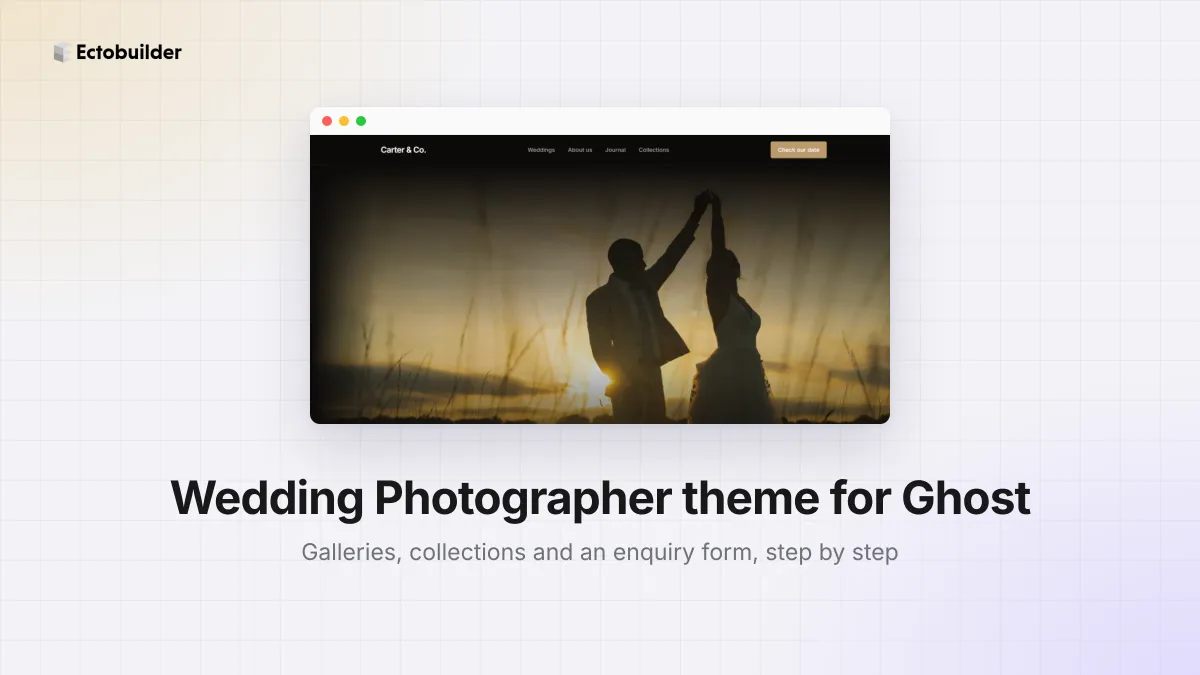
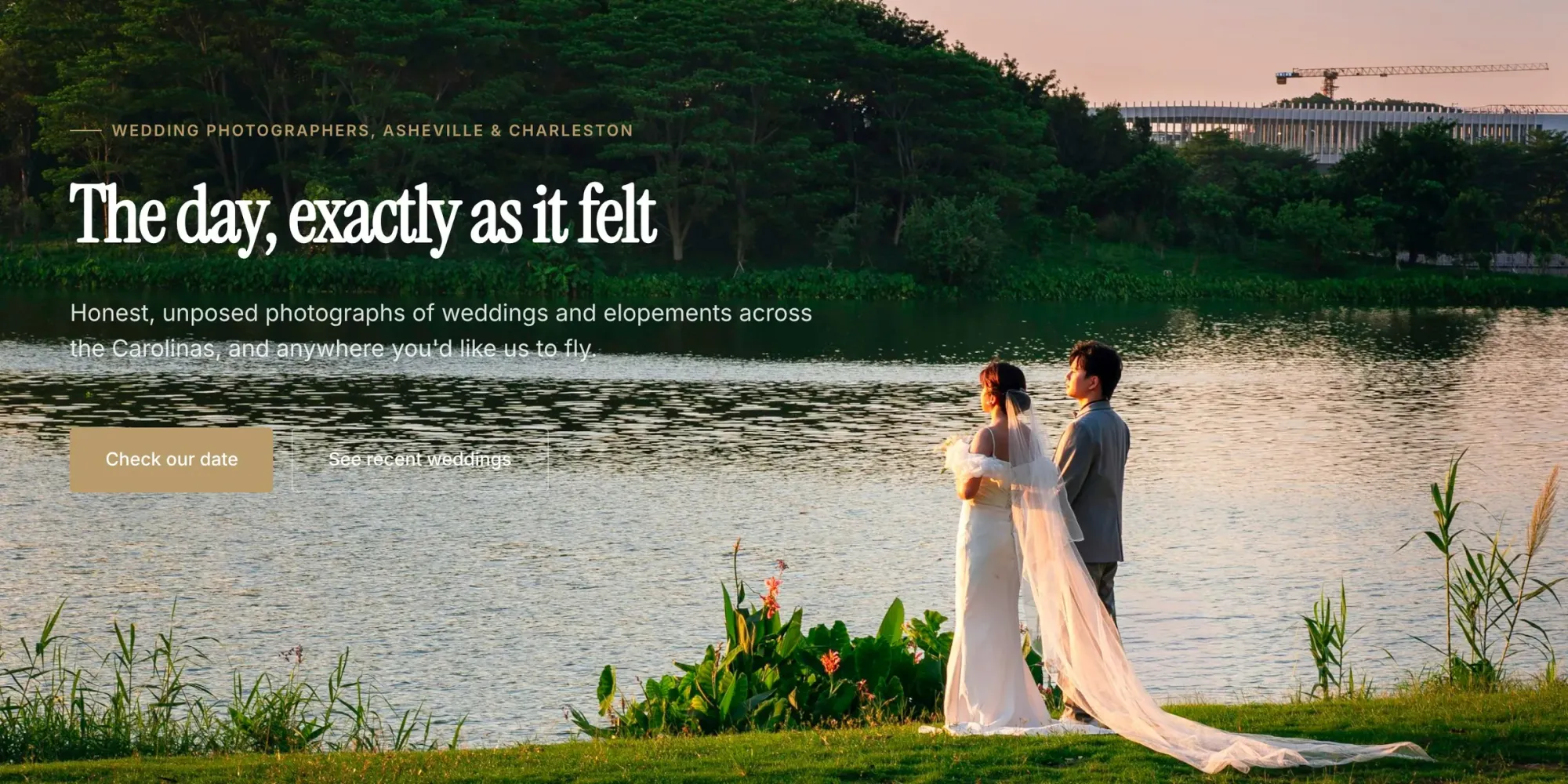
The Wedding Photographer theme is a dark, cinematic Ectobuilder theme for wedding and portrait photographers on Ghost. It opens with a full-width photo of a couple by a lake at sunset. Then it introduces you, shows recent weddings, explains how working with you goes, lists your collections with prices, adds love notes from couples, answers common questions and ends with an enquiry form.
This guide walks through the four things to set up before you share the site with couples:
- Show your best work in the hero and the wedding gallery.
- Set your collections and prices.
- Turn on the enquiry form, so date requests reach your inbox.
- Share full galleries on the journal, as Ghost posts.
To follow along, open the theme from the Ectobuilder theme gallery and connect your Ghost site under Settings → Integrations → Ghost Admin API.

Want this theme for your site? Open the Wedding Photographer theme in Ectobuilder and make it yours. Starting is free, and you only pay if you’re happy with the design.
Part 1: Show your best work
Step 1: The hero photo
Couples decide in seconds, so the first photo matters most. Choose a wide, landscape picture with space for the headline on the left, such as a couple in a big landscape, not a close-up.
- Click the hero, then the photo, and Replace it with yours. You can also pick a free photo from Unsplash or Pexels in the Images panel. See how to add images to your Ghost theme.
- Double-click the headline to write your own line. Short and about the couple works best.
- The white text sits on the left side of the photo. Pick a photo with a calm, darker area there, such as water, trees or sky, so the text stays easy to read.
Have a short film? Set the hero's Background to Video: see how to make a full-screen video hero.
Step 2: The recent weddings gallery
Below the About section, where you say hello as Noah & Ella or whoever you are, comes Recent weddings. It's a masonry gallery of seven photos in three columns, so tall and wide pictures sit together without cropping.
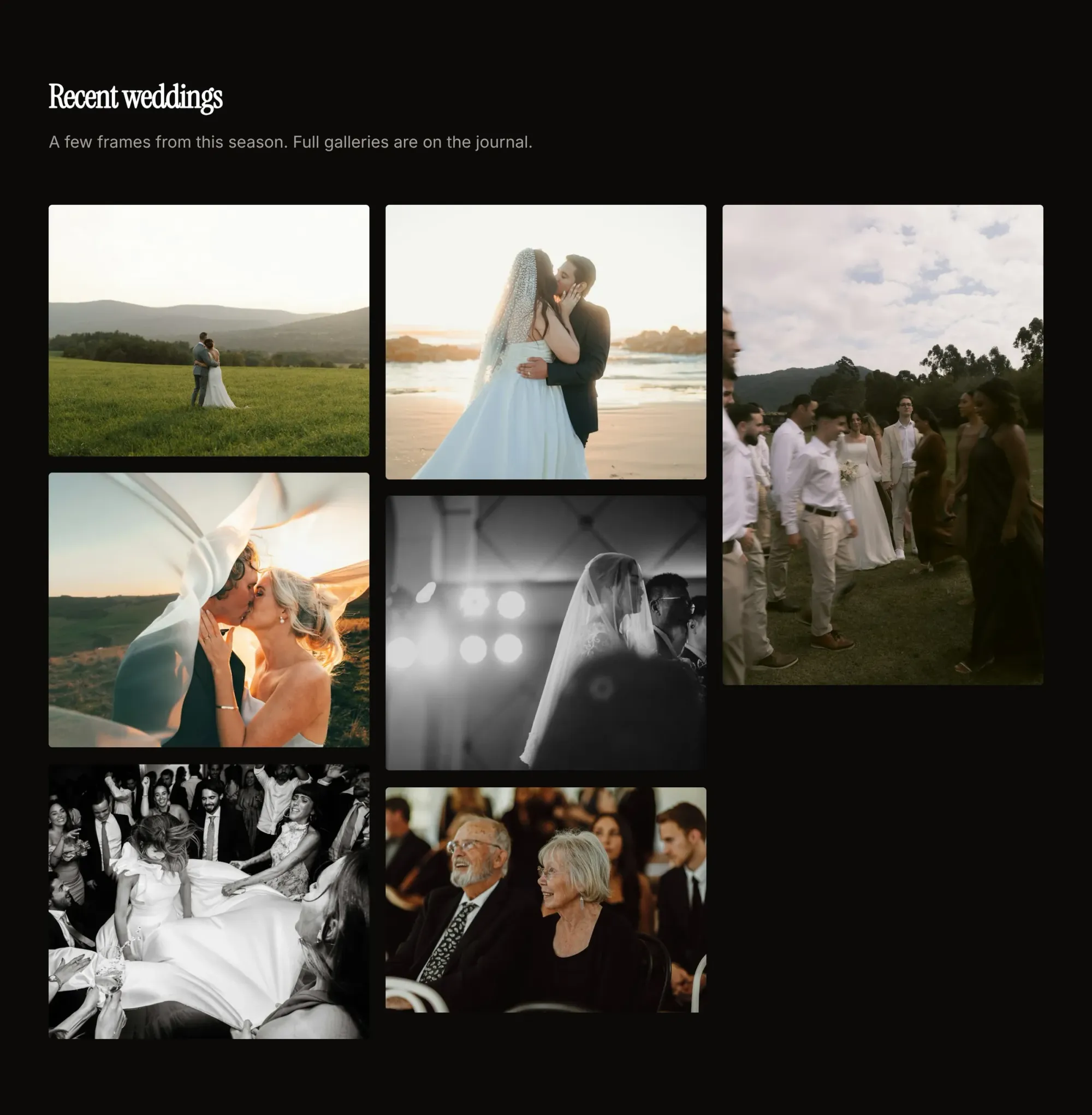
- Click each photo and Replace it. Mix wide shots, portraits, details and the dance floor, so couples see the whole day.
- Put your strongest photo first, at the top left.
- Fill in each photo's Description, such as "Bride and groom embracing in a mountain meadow at sunset". The sparkle button writes it for you. It helps your photos appear in Google Images.
Ghost serves every photo in the right size for the screen, so big portfolio files don't slow the page.
Part 2: Set your collections
After the How it works tabs comes Collections. It shows three packages with prices and what each includes. The middle one is marked Most booked.
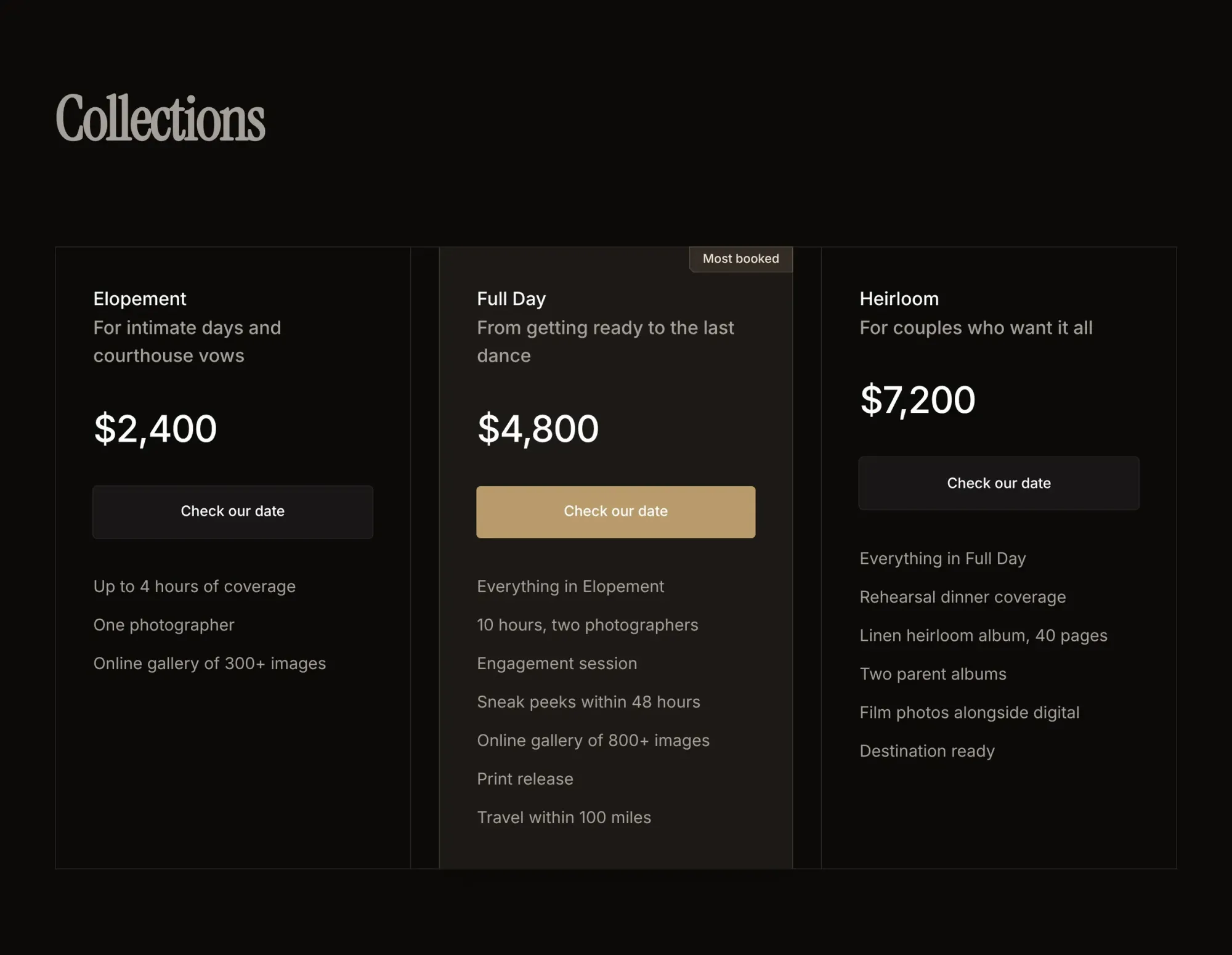
- Double-click the names, prices and lists to type yours.
- Three is the right number: most couples choose the middle one. Put the package you most want to sell there and keep the Most booked label on it.
- The Check our date buttons scroll down to the enquiry form. Leave them as they are.
Prefer not to show prices? Write "from $2,400" or replace the prices with "Ask for a quote". Couples are more likely to get in touch when they know roughly what to expect.
Part 3: Turn on the enquiry form
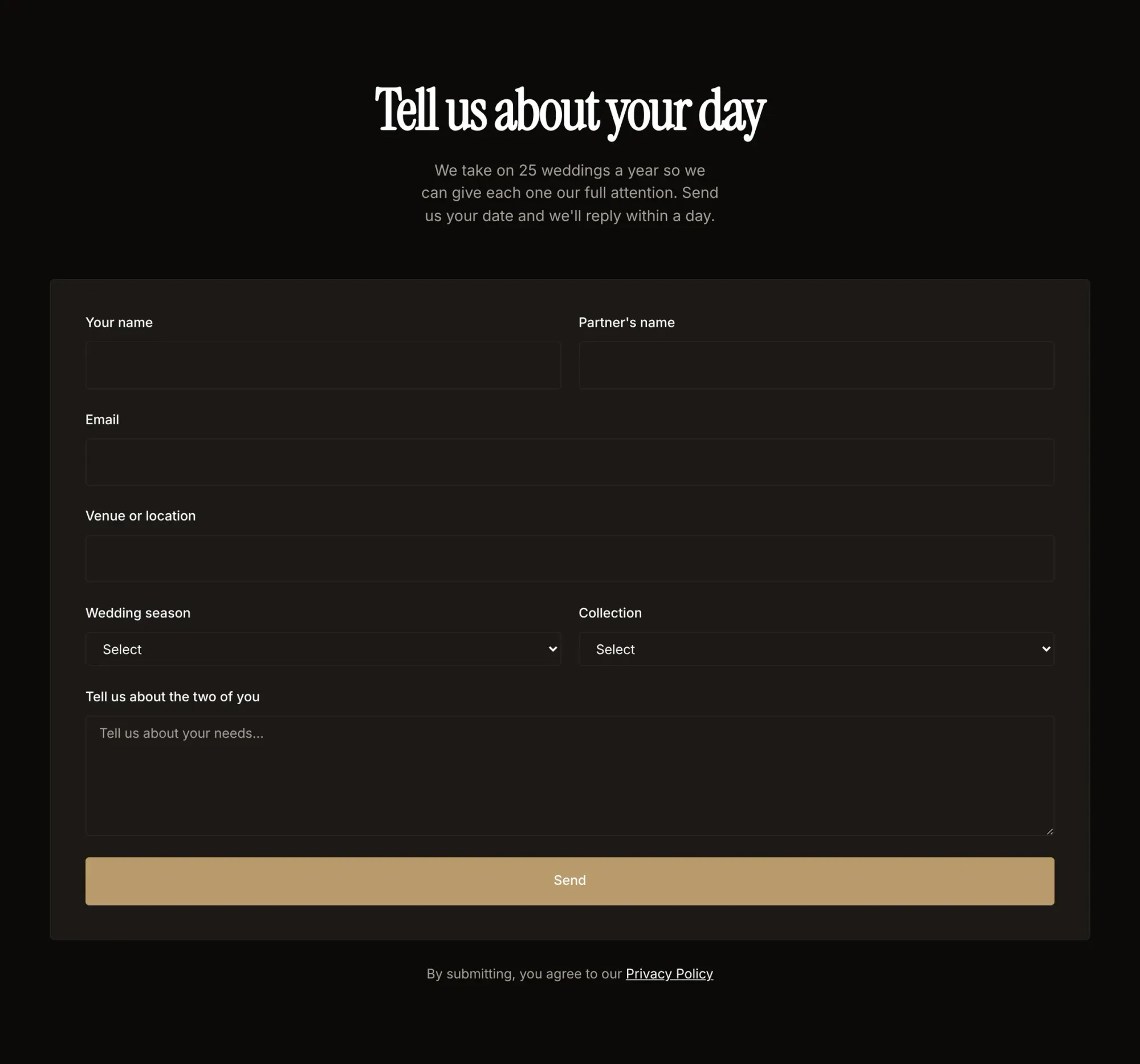
The Tell us about your day form asks for both names, an email, the venue, the wedding season and which collection they like, with space to tell you about the two of them. To make it send:
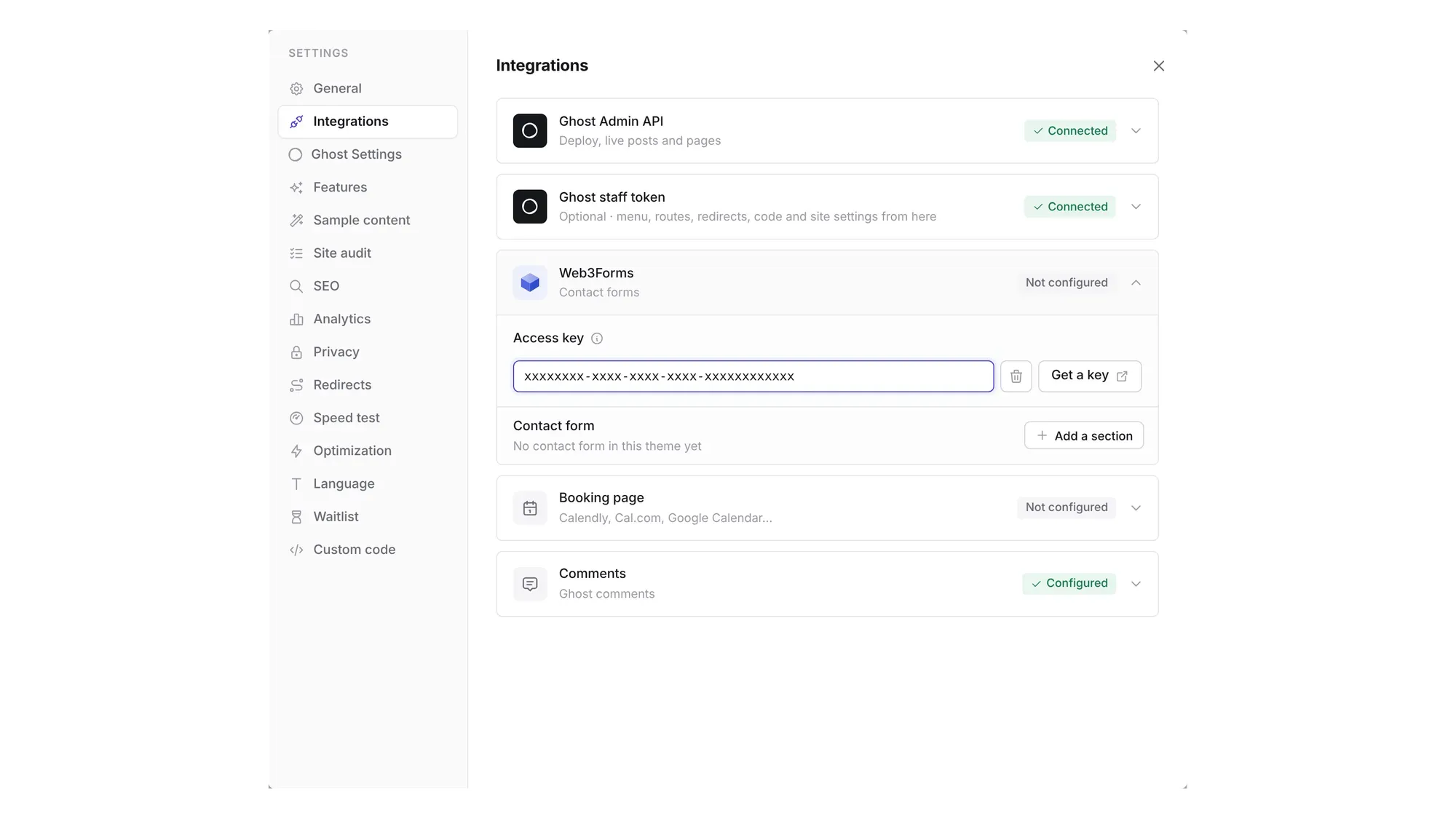
- Get a free access key from Web3Forms. You enter your email address and they send you the key.
- In Ectobuilder, open Settings → Integrations → Web3Forms and paste the key.
- Click Deploy, then send yourself a test from the live site and check your spam folder the first time.
Change the questions
Click the form. Under Contact form in the settings on the right you can change every field: add a Date field for the wedding date, a Number for the guest count, or a Dropdown of your packages; mark fields as required; and reorder or remove them.
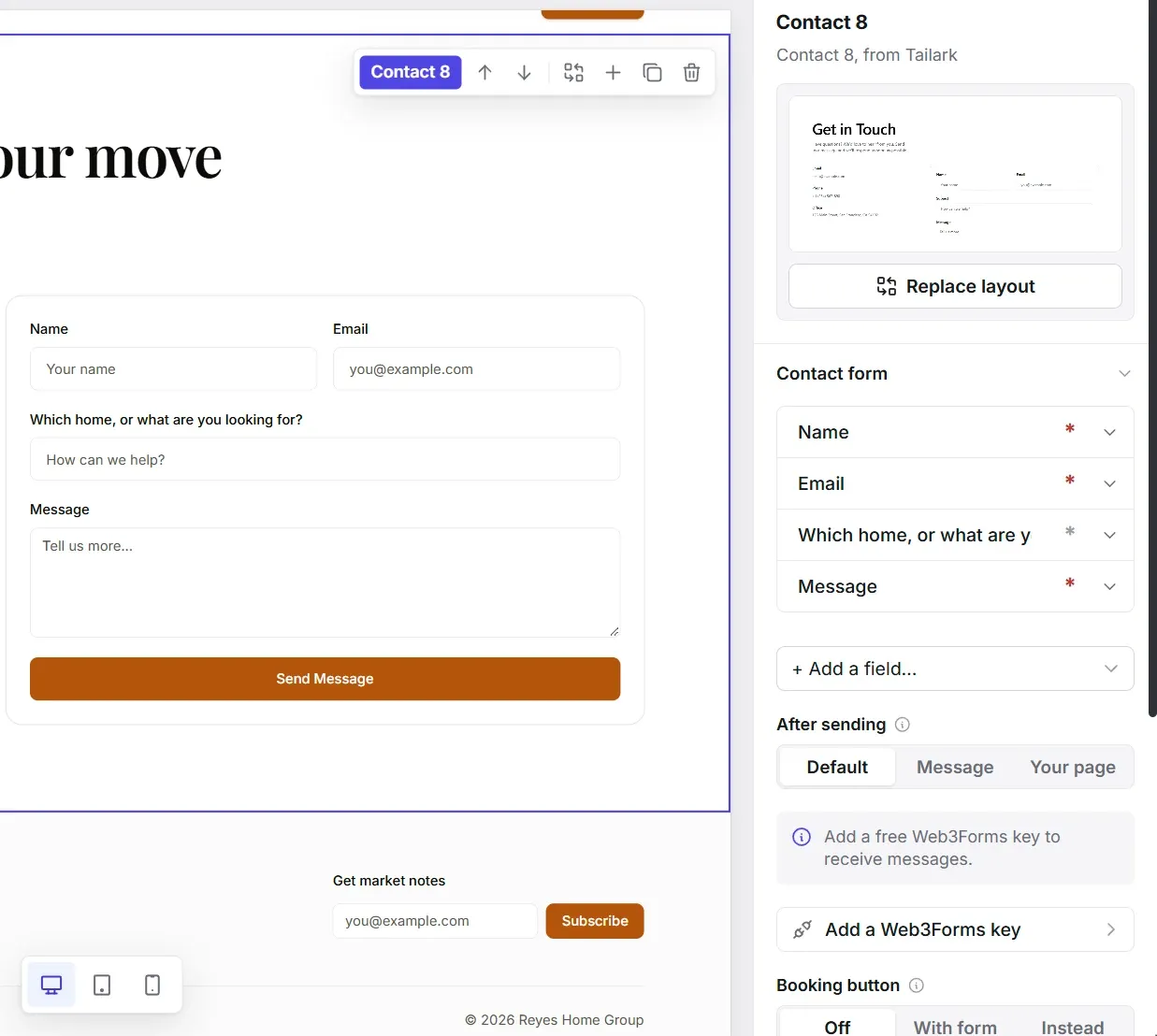
Under After sending, choose Message to write your own reply, such as "Thank you! We'll check our calendar and reply within a day." Then make sure you do. Speed wins bookings.
For every detail, read How to add a contact form to your Ghost site.
Part 4: Share full galleries on the journal
The homepage shows a few frames. Full weddings belong on the Journal, your Ghost blog, one post per wedding.
- In Ghost Admin, click New post. Title it with the couple and venue, for example Emma & James at Biltmore Estate. Venue names are what couples search for.
- Add a Gallery card and drop in 20 to 40 of your best photos. Readers can click any of them to see it full size with the lightbox.
- Write a few lines about the day: the venue, the weather, what made it theirs.
- Tag it by venue or season, and publish.
Over a season, these posts bring couples who search for your venues. That's work no portfolio grid does on its own.
Ready to build yours? Everything in this guide works on your own copy of the Wedding Photographer theme. Start free, connect your Ghost site when you’re ready, and only pay if you like the result.
Next steps
- Rewrite the four How it works tabs (Say hello, Plan the day, The wedding, Your gallery) to match how you work.
- Replace the love notes with real reviews from couples, with their names and venue.
- Answer your most common questions in the Good to know FAQ.
- Change the gold accent and the fonts under Style to match your brand.
- Add a booking link for calls: see How to add online booking to your Ghost site.
- Coming from Squarespace or Wix? Compare Squarespace alternatives and plan the move.
Written by
Founder of Ectobuilder, the AI-powered visual theme editor for Ghost. Indie software builder in Wrocław and co-author of The AdTech Book. I write about Ghost themes, newsletters and building websites with AI.
Comments
Questions or thoughts? Share them below.
Keep reading
PikaPods Custom Domain: Why Only www Works (and How to Fix the Root Domain)
PikaPods maps one custom domain per pod, so yourdomain.com without www stays on a parked page with no SSL. Here's why, and three ways to redirect it to www over HTTPS without touching your email records.
How to Migrate from Kit or beehiiv to Ghost (Subscribers, Paid Members, Posts and Redirects)
Move your newsletter from Kit (ConvertKit) or beehiiv to Ghost step by step: export and import subscribers, deal with paid members and Stripe, bring your posts across, set up redirects and your domain, warm up email sending, and make the new site look right.
How to Use ChatGPT to Create 301 Redirects (Prompts, File Formats and Testing)
Let ChatGPT or Claude match your old URLs to new ones and write the redirect file for Ghost, Apache, Nginx, Netlify or Vercel. Prompts to copy, the mistakes to avoid, and how to test every redirect.