
PikaPods Custom Domain: Why Only www Works (and How to Fix the Root Domain)
PikaPods maps one custom domain per pod, so yourdomain.com without www stays on a parked page with no SSL. Here's why, and three ways to redirect it to www over HTTPS without touching your email records.

Michal Wlosik
· 6 min read
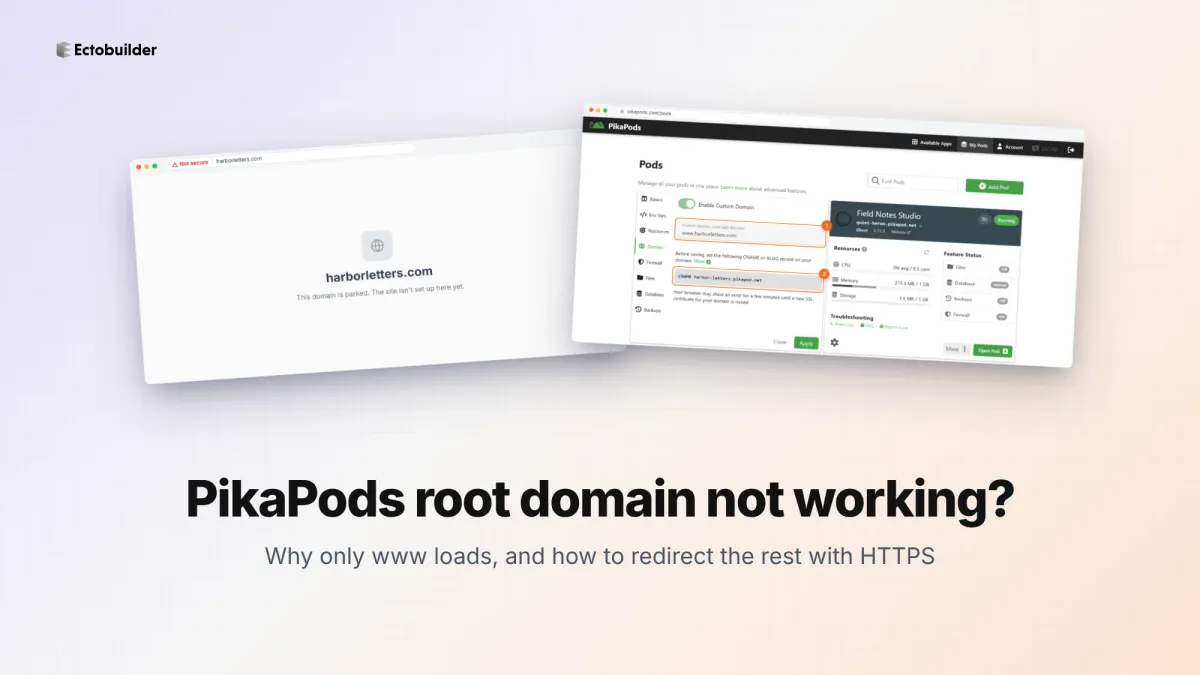
Short answer: PikaPods only lets you connect one custom domain to each pod. Most people connect www.yourdomain.com, because a CNAME record is the easiest thing to set up. The root domain, yourdomain.com without the www, is still pointing wherever your registrar left it, usually a parking page with no SSL certificate. That's why it shows "Not secure", a parked page, or doesn't load at all. The fix is to redirect the root domain to the www address with a service that also gives it a certificate. It takes about ten minutes, and your email and www records don't change.
We hit this ourselves on two Ghost sites hosted on PikaPods. Here is what's going on and three ways to fix it, starting with the quickest.
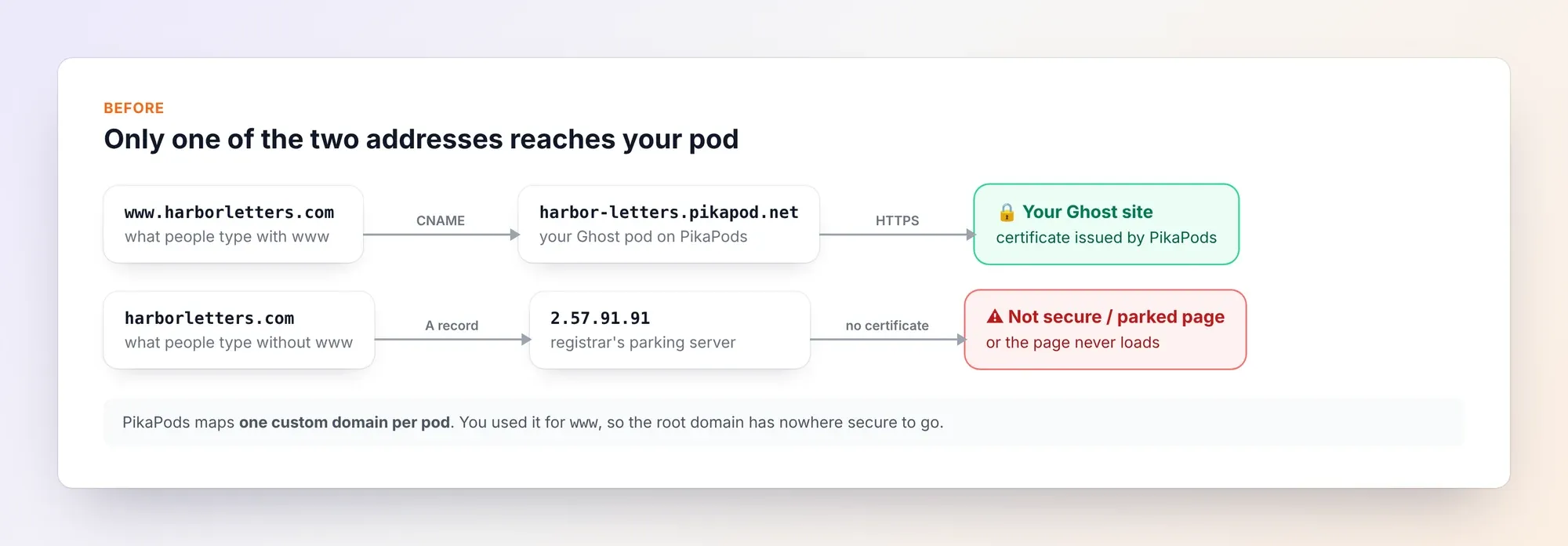
Why only www works
PikaPods' documentation is explicit: "Only one custom domain can be mapped per pod." For extra domains it suggests redirects through your DNS provider or a redirect service.
When you set up a Ghost pod with a custom domain, PikaPods asks for a CNAME record pointing to your pod's something.pikapod.net address, and then issues a free SSL certificate for that one name. A CNAME can't sit on the root of a domain, so almost everyone maps www. Two things are left over:
- The root domain's A record still points to your registrar's default server (on Hostinger, for example,
2.57.91.91, the parking page). - That server has no certificate for your domain, so
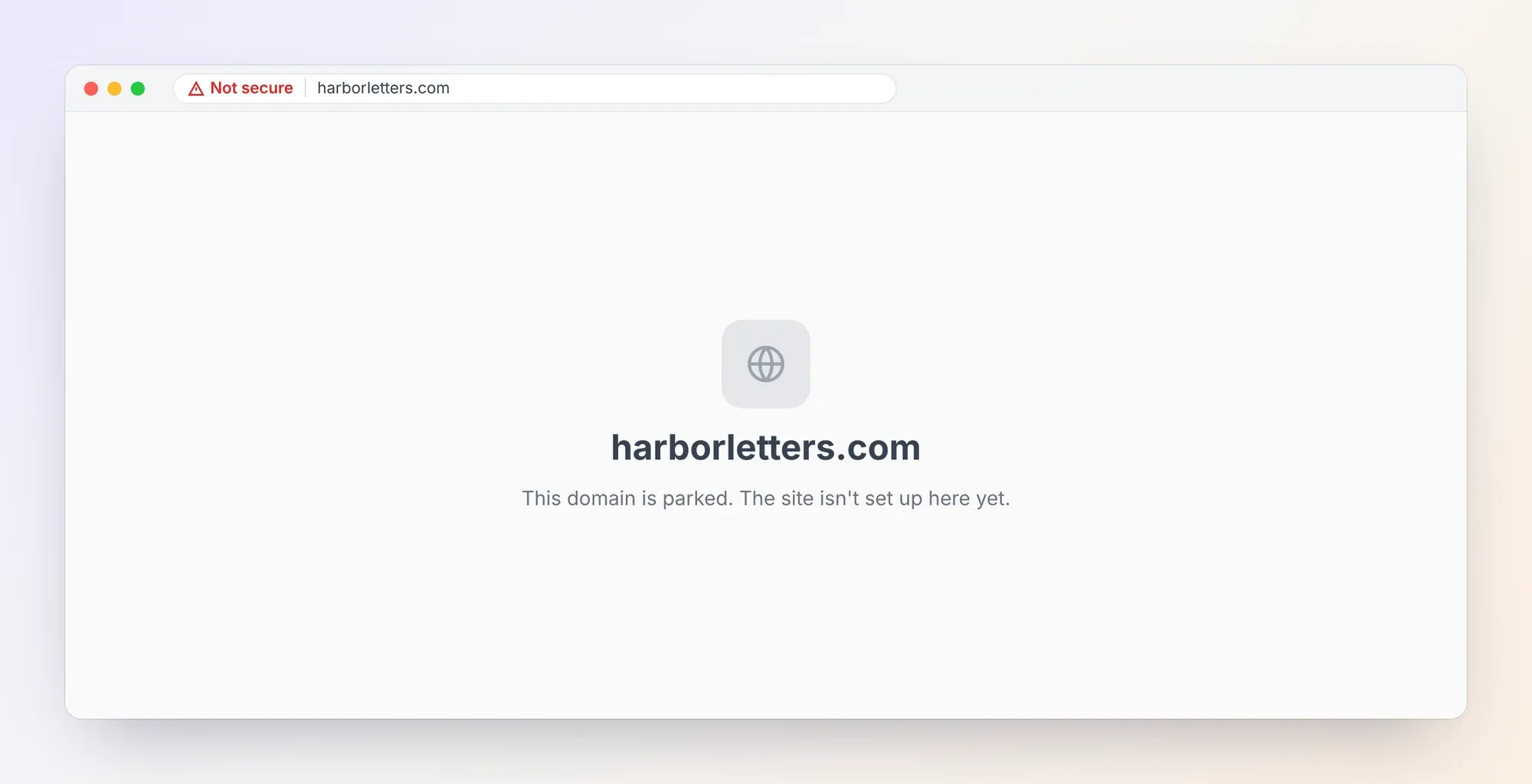
https://yourdomain.comshows a browser warning, andhttp://yourdomain.comshows a parked page instead of your site.
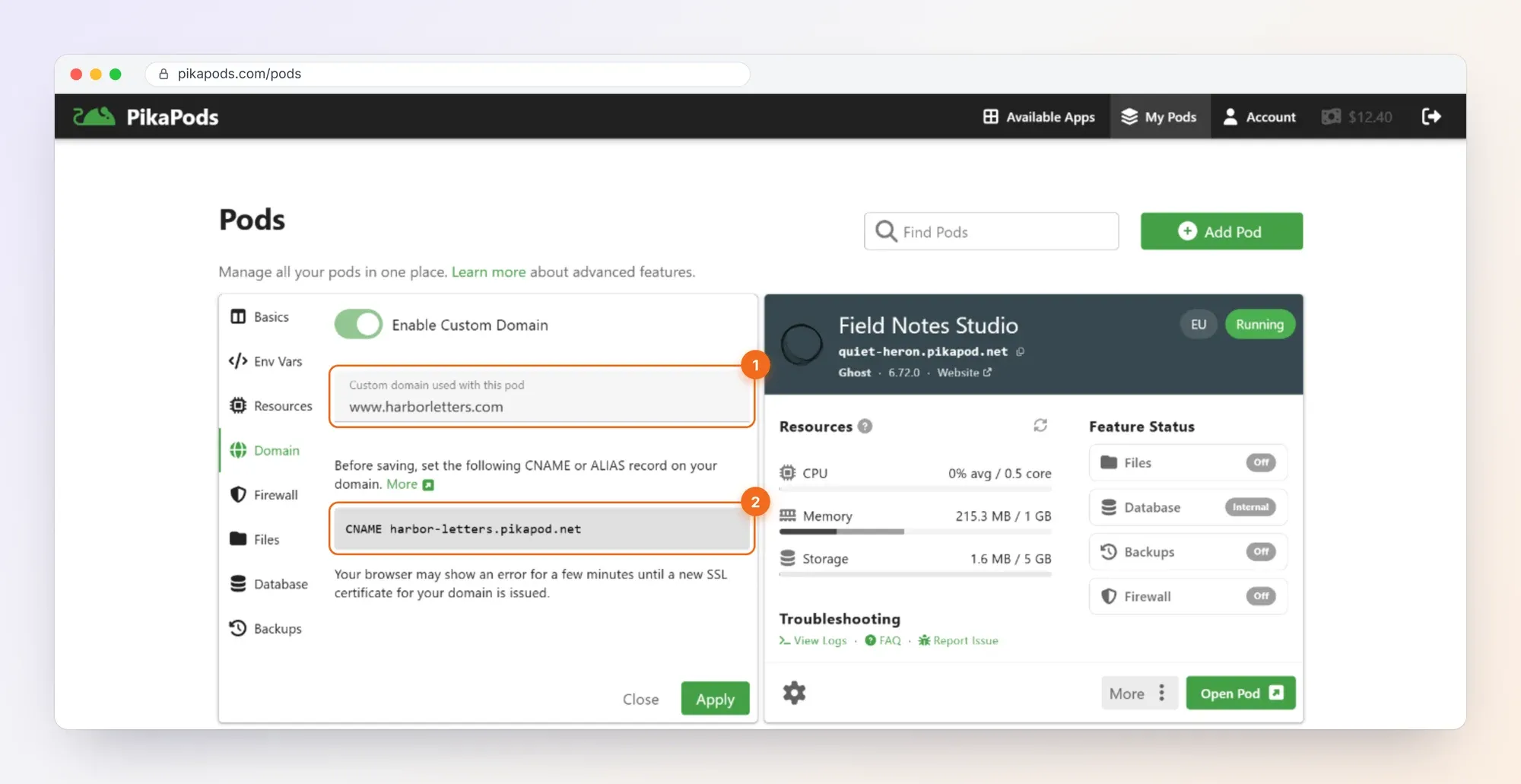
Visitors type addresses without www all the time, and links to your root domain are common. Each one that lands on a warning is a reader you lose, and search engines see two versions of your site that don't agree. You want one address that everything ends up on.
Why your registrar's redirect may not work
The obvious first try is your registrar's "domain forwarding" or "redirect" feature. It can work, but watch for two problems:
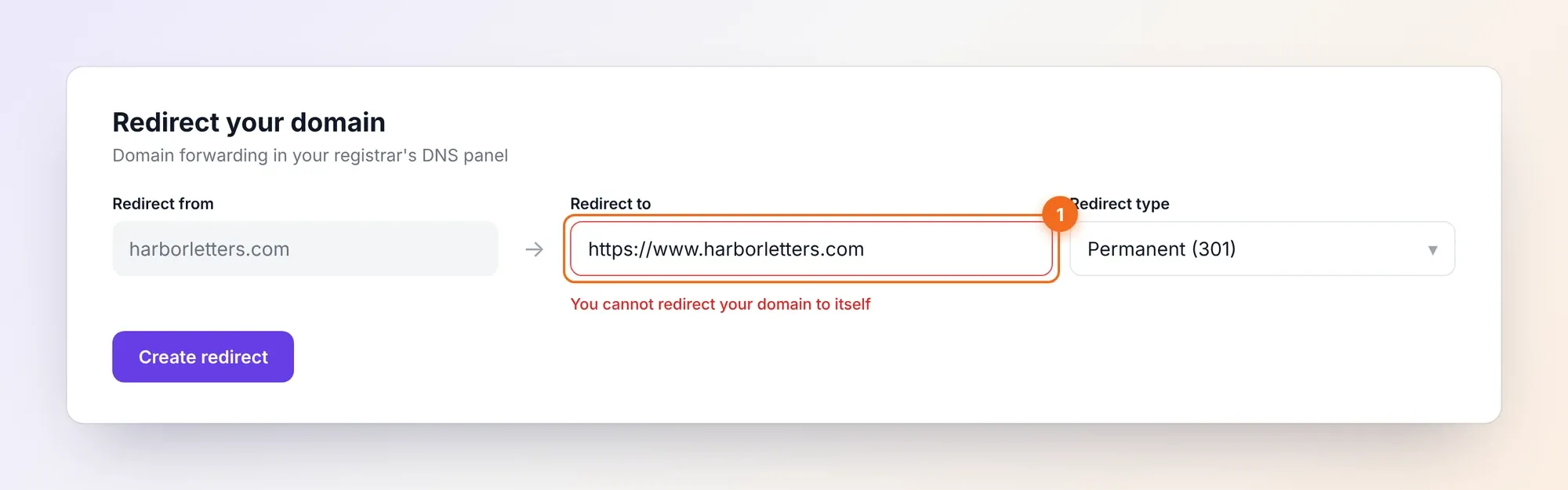
- Some registrars refuse it. Hostinger's redirect form rejected
harborletters.com → https://www.harborletters.comwith "You cannot redirect your domain to itself", because it treats www and the root as the same domain. Its support team suggested exactly that setup, and the form still refused it. - Many forwarders only handle http. If the forwarding server has no certificate for your root domain,
https://yourdomain.comstill shows a warning before any redirect happens. Check that your registrar's forwarding supports HTTPS before relying on it.
Fix 1: a free redirect service (10 minutes)
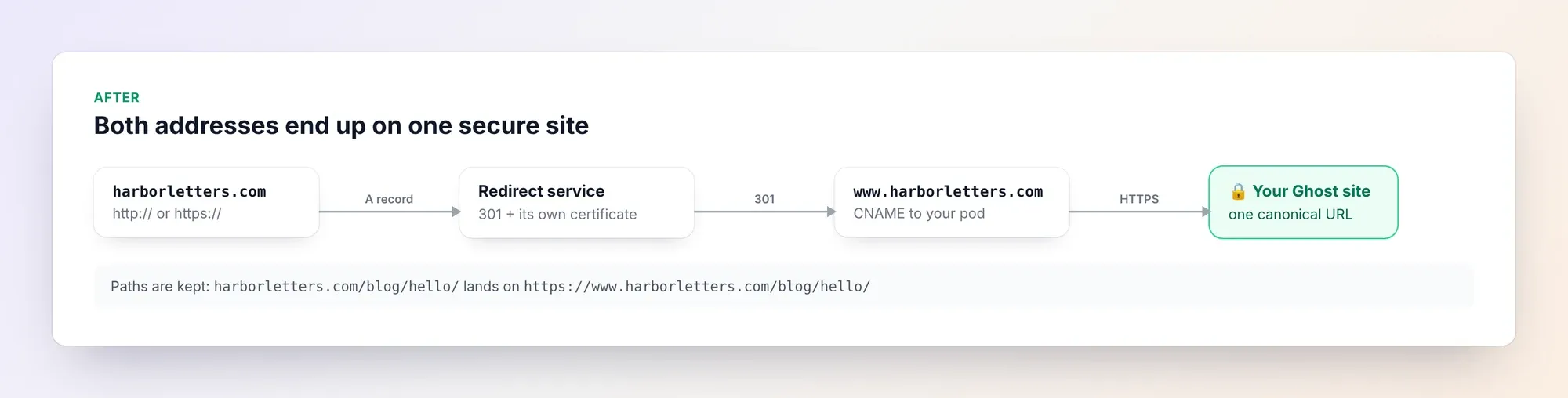
A redirect service answers requests for your root domain, issues its own certificate for it, and sends visitors on to your www address with a permanent (301) redirect. We used redirect.pizza. Its free plan covers 5 source hostnames and 250,000 requests a month, with HTTPS included, which is plenty for most Ghost sites. Other services work the same way.
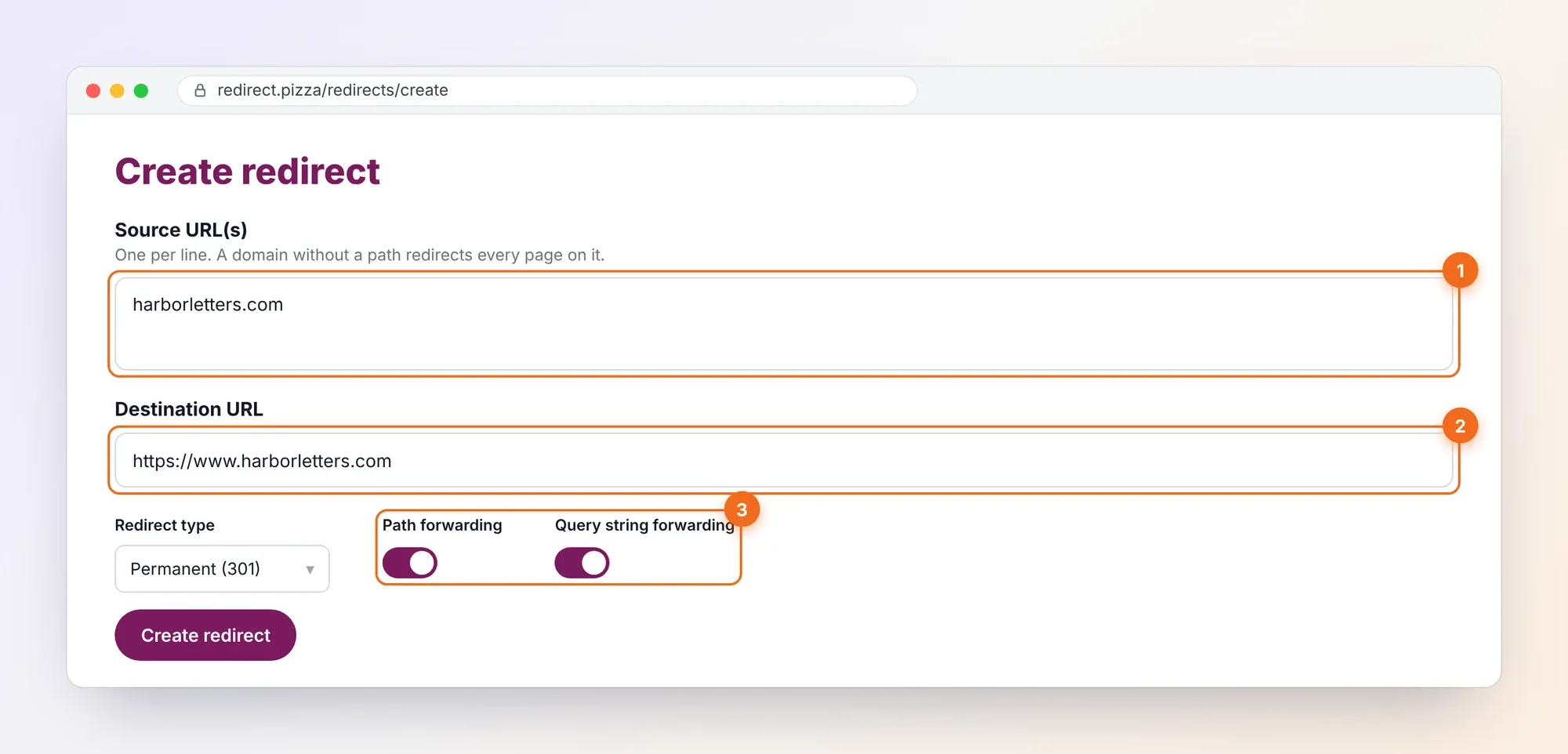
- Create the redirect. Source:
yourdomain.com. Destination:https://www.yourdomain.com. Choose Permanent (301) and turn on path forwarding and query string forwarding, soyourdomain.com/blog/hello/lands on the same post. - Copy the IP address it gives you. The service shows the A record your root domain needs.
- Change one DNS record. At your registrar, edit the A record for
@and replace the parking IP with the service's IP. Leave everything else alone. - Wait and test. Changes usually show within an hour. The service issues the certificate automatically once your DNS points to it.
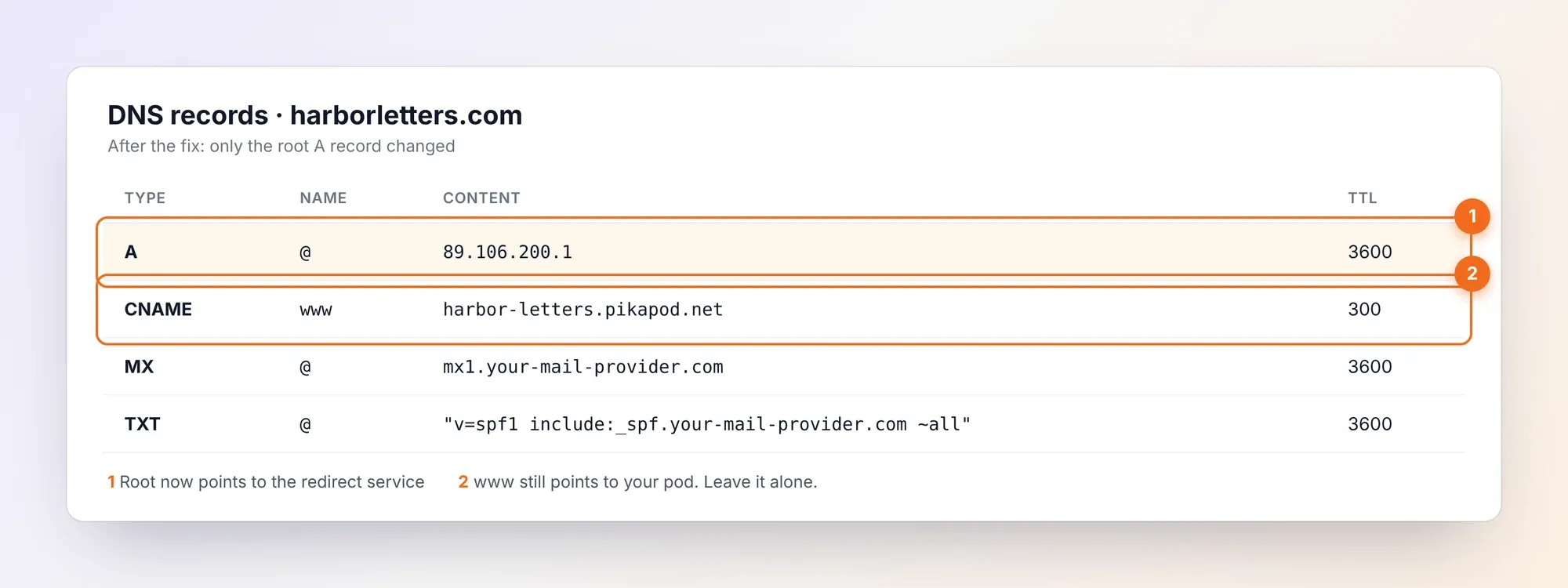
Don't touch your email records. If you send newsletters or receive mail on the domain, your MX, SPF, DKIM and DMARC records live alongside the A record. Changing the A record doesn't affect them.
Fix 2: move your DNS to Cloudflare
If you'd rather have redirects, DNS and caching in one place, move your domain's DNS (not the registration) to Cloudflare's free plan:
- Add your domain to Cloudflare. It imports your existing records.
- At your registrar, switch the nameservers to the two Cloudflare gives you. This works even for a brand-new domain; only transferring the registration is locked for 60 days.
- Add a proxied (orange cloud) A record for the root, then create a redirect rule from
yourdomain.comtohttps://www.yourdomain.comthat keeps the path. Cloudflare covers the root with its own certificate. - Keep the
wwwCNAME to your pod as DNS only at first, and set SSL/TLS to Full (strict). PikaPods warns that Flexible causes redirect loops, and that its certificate renewal needs to reach your pod.
It's a bigger change than Fix 1, but you get one dashboard for everything and no limit on how many domains you redirect.
Fix 3: map the root domain instead of www
You can also flip it around: give PikaPods the root domain and redirect www. PikaPods supports roots with an ALIAS record (some DNS hosts call it ANAME or CNAME flattening) pointing to your pod address. Then www becomes the leftover name, and you still need a redirect for it, so you're back to Fix 1 or 2. Only choose this if you want the address without www as your main one. If you change it on an existing Ghost site, update Ghost's site URL too, or your links and canonical tags will point to the old address.
Check that it works
Open a private browser window and try all four versions. Each should end on https://www.yourdomain.com without a warning:
| You type | Should end on |
|---|---|
http://yourdomain.com | https://www.yourdomain.com |
https://yourdomain.com | https://www.yourdomain.com |
http://www.yourdomain.com | https://www.yourdomain.com |
https://yourdomain.com/some-post/ | https://www.yourdomain.com/some-post/ |
From a terminal, curl -I http://yourdomain.com should answer 301 with a location: https://www.yourdomain.com/ header.
Where Ectobuilder fits
PikaPods is one of the cheapest ways to run Ghost with any theme you like, which is why many Ectobuilder users host there. Design your theme visually in Ectobuilder and deploy it to your pod in one click. For other hosting options and what they cost, see Cheap Ghost Hosting: 7 Alternatives to Ghost(Pro). If your domain is registered at Hostinger, How to Host Ghost on Hostinger covers the DNS screens too.
FAQ
Can I add both yourdomain.com and www.yourdomain.com to one pod?
No. PikaPods maps one custom domain per pod. Map one of them and redirect the other.
Will the redirect hurt my SEO?
No, it helps. A permanent 301 redirect tells search engines that the www address is the one to index, so links to either version count for the same site.
Why does my browser still say "Not secure" after the change?
Either the DNS change hasn't reached you yet, or the redirect service hasn't issued its certificate. Wait up to an hour, then test in a private window. If it persists, check that the root A record shows the service's IP in a DNS checker.
Does this affect my newsletter emails?
No. Email uses MX, SPF, DKIM and DMARC records, which you don't change. Only the root A record moves.
We're not affiliated with PikaPods, redirect.pizza, Hostinger or Cloudflare. Plans and limits were checked in October 2026 and may change.
Written by
Founder of Ectobuilder, the AI-powered visual theme editor for Ghost. Indie software builder in Wrocław and co-author of The AdTech Book. I write about Ghost themes, newsletters and building websites with AI.
Comments
Questions or thoughts? Share them below.
Keep reading
How to Migrate from Kit or beehiiv to Ghost (Subscribers, Paid Members, Posts and Redirects)
Move your newsletter from Kit (ConvertKit) or beehiiv to Ghost step by step: export and import subscribers, deal with paid members and Stripe, bring your posts across, set up redirects and your domain, warm up email sending, and make the new site look right.
How to Use ChatGPT to Create 301 Redirects (Prompts, File Formats and Testing)
Let ChatGPT or Claude match your old URLs to new ones and write the redirect file for Ghost, Apache, Nginx, Netlify or Vercel. Prompts to copy, the mistakes to avoid, and how to test every redirect.
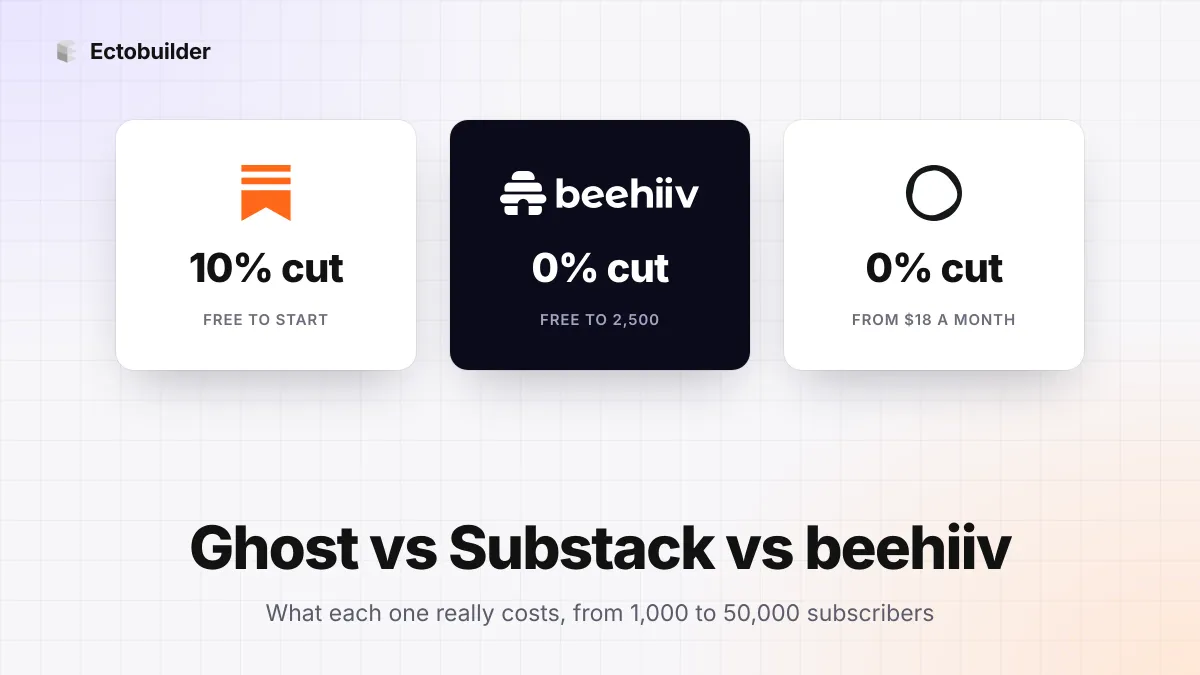
Ghost vs Substack vs beehiiv (2026): What Each Really Costs, and Which to Choose
Substack is free but takes 10%. beehiiv and Ghost take 0% but charge a monthly plan. The three newsletter platforms side by side, with what each costs at 1,000, 10,000 and 50,000 subscribers.