
Best Ghost Membership Themes in 2026: Free, Paid and Custom Themes for Paid Newsletters
The best Ghost themes for memberships and paid newsletters in 2026: five free, three paid, and four Ectobuilder themes built around a membership. What to look for, prices, and how to set up memberships in any theme.

Michal Wlosik
· 7 min read
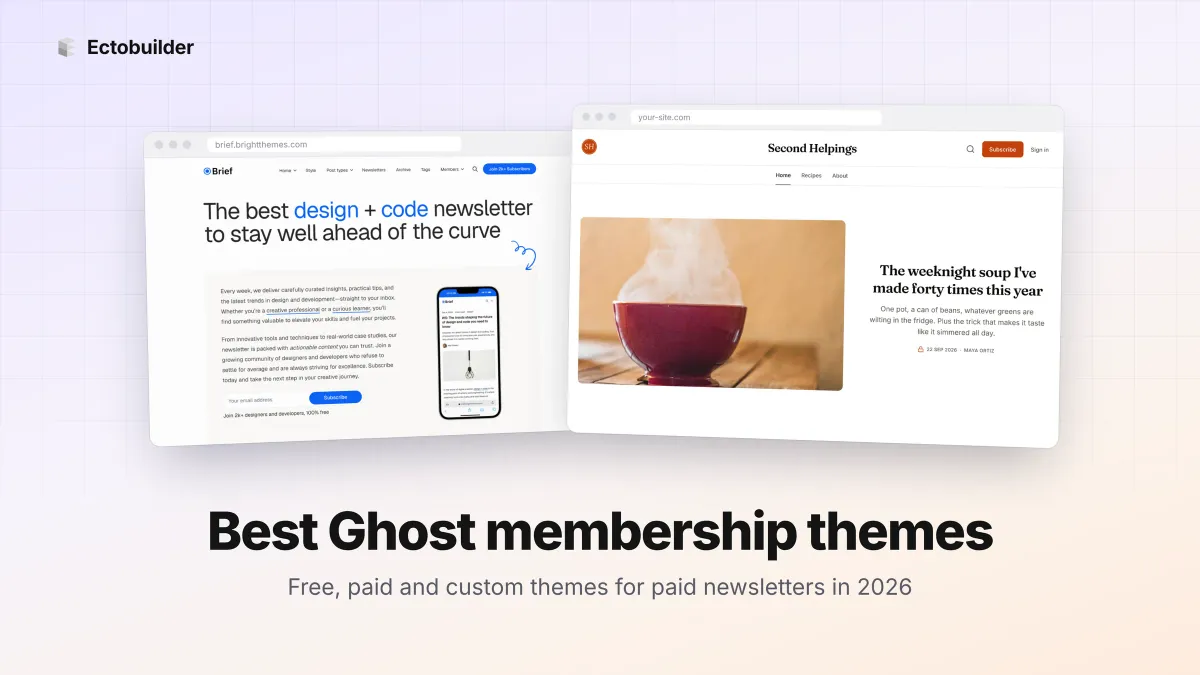
Ghost has memberships built in: free and paid sign-ups, tiers, members-only posts and Stripe payments, with no cut of your revenue from Ghost. But the theme decides how well all of that sells. A good membership theme puts the signup form where readers see it, makes it obvious which posts are for paying members, and gives you a page that explains your plans.
Here are the best Ghost themes for memberships and paid newsletters in 2026: five free ones, three paid ones, and four Ectobuilder themes built around a membership that you can change by clicking.
Quick picks
| Theme | Price | Best for |
|---|---|---|
| Source | Free (official) | Most newsletters; the safe default |
| Edition | Free (official) | A newsletter with a big photo cover |
| Bulletin | Free (official) | Signup-first, one-screen homepage |
| Journal | Free (official) | Writing-led newsletters |
| Liebling | Free | Blogs with dark mode and a subscribe page |
| Brief | $149 | Newsletter businesses with several newsletters |
| Dashi | $149 | Communities that push free members to upgrade |
| Krabi | $149 | Magazine-style sites with a newsletter sidebar |
| Ectobuilder themes | Free to build, from $79/year to publish | A membership site in your own design |
Prices are from the Ghost theme marketplace in October 2026. Paid themes are one-off purchases.
What makes a good membership theme
- Signup in the right places. In the homepage header, at the end of every post and in the footer, not only in a popup.
- Clear members-only posts. A lock or a "Paid" label in post lists, and a tidy upgrade box where the free preview ends.
- A plans page. Ghost's Portal popup shows your tiers, but a page that explains what members get sells better. See how to build a pricing page in Ghost.
- Newsletter pages. If you run more than one newsletter, a page that lists them and lets readers pick.
- Different calls to action for different readers. Visitors are asked to subscribe, free members to upgrade, paying members see a link to their account.
- Reading comfort. Members pay to read, so the post page matters more than the homepage.
Free Ghost membership themes
1. Source
Ghost's default theme, and the one most newsletters should try first. Its Landing header is a big signup form, there's a signup box in the footer, and members-only posts get a lock in the post list. Five header styles and a handful of font and colour settings let you make it your own. Our guide to customising Source goes through every setting.
2. Edition
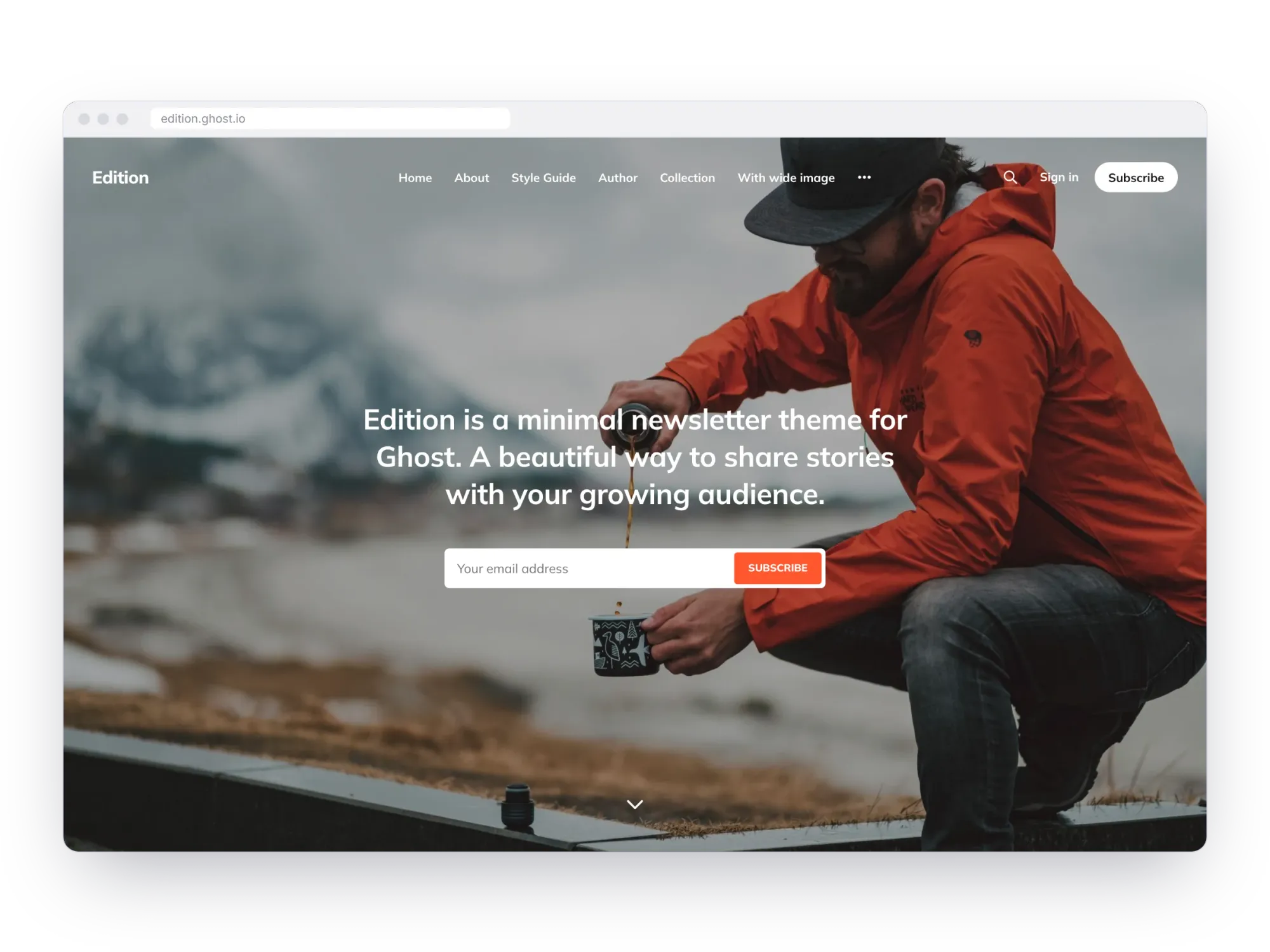
An official newsletter theme with a full-screen cover photo behind your signup form, so the first thing a visitor sees is a reason to subscribe. Below it, a simple list of past issues. A good fit for personal newsletters with a strong photo.
3. Bulletin
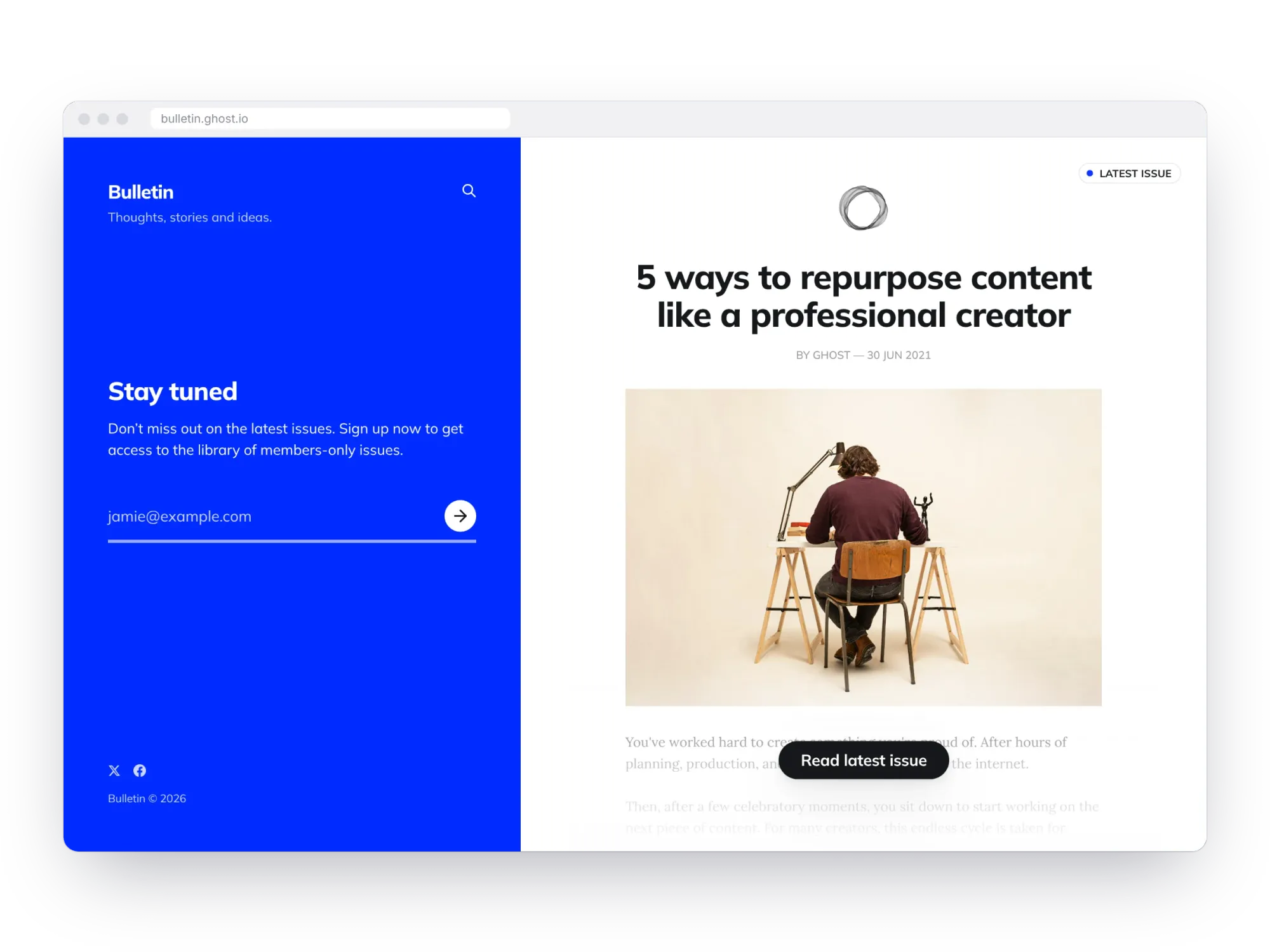
Bulletin splits the homepage in two: a bold coloured signup panel on the left and an excerpt of your latest issue on the right. It's the most signup-focused of Ghost's official themes, and works best for a newsletter that publishes one issue at a time.
4. Journal
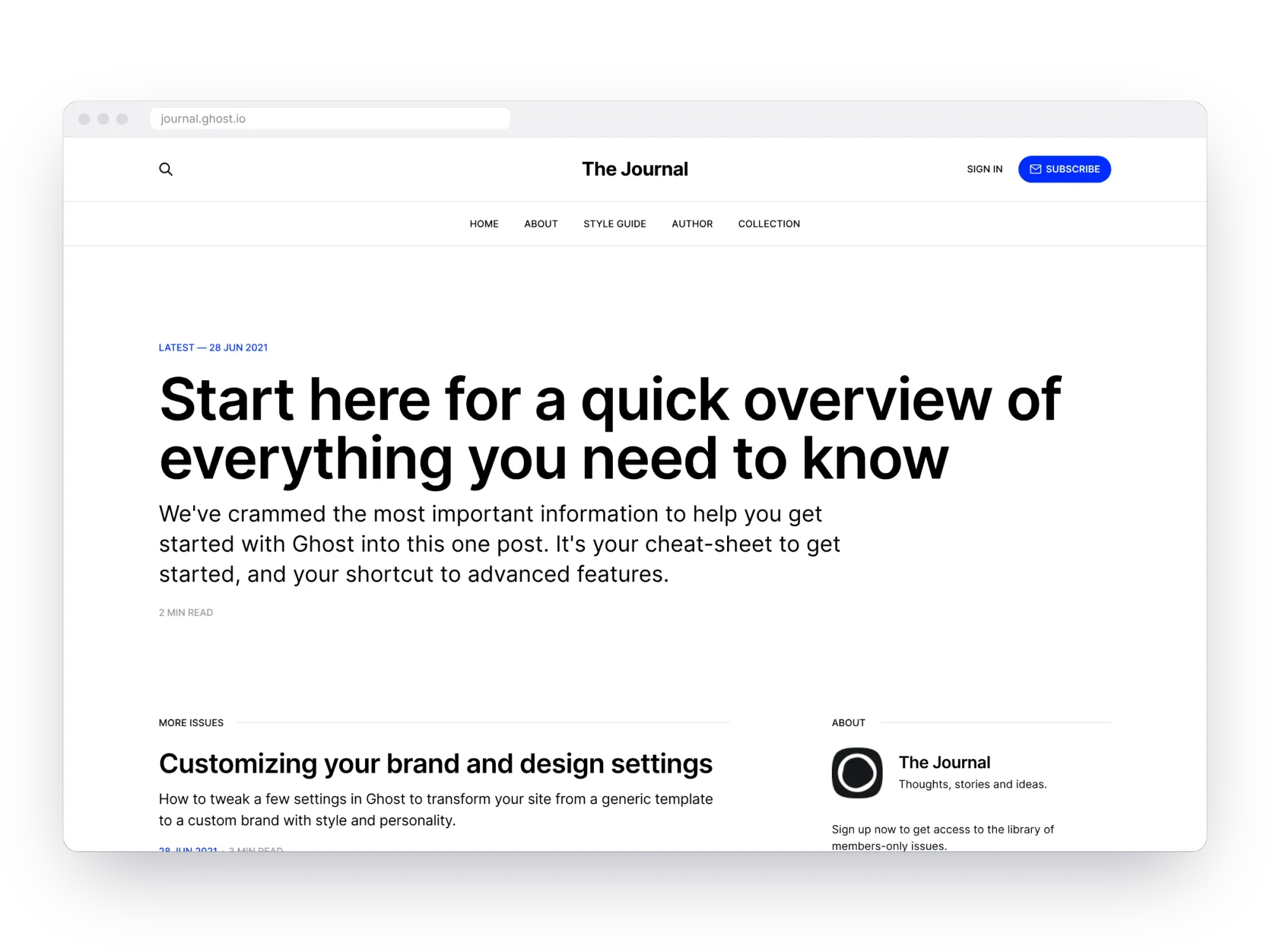
A typography-led official theme: a big headline for your latest issue, a list of earlier ones and an about box with a signup form. Quiet and readable, for writers whose words are the product.
5. Liebling
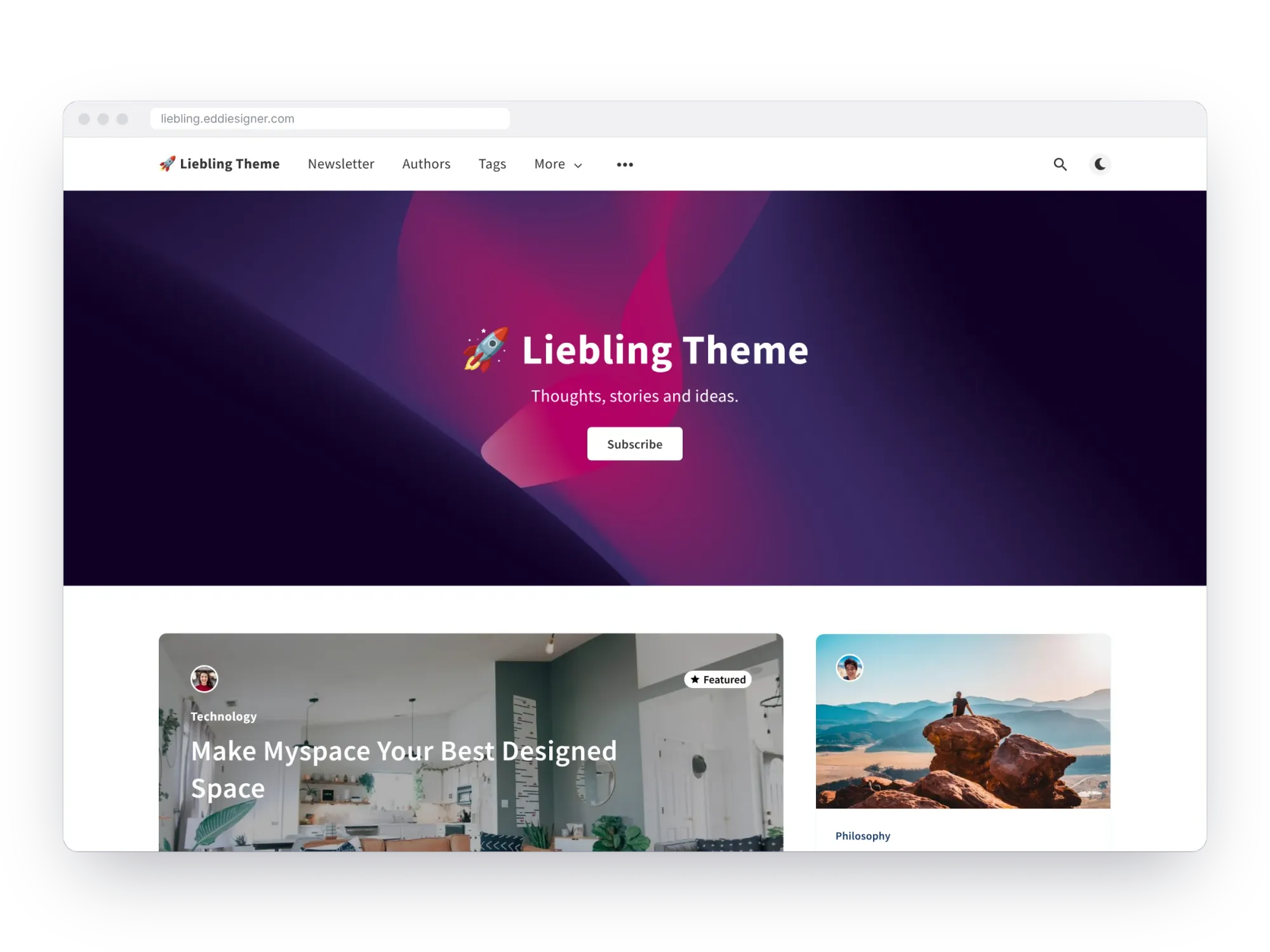
A popular free community theme by Eduardo Gómez, with a subscription form, a custom subscribe page, search and dark mode. It was last tuned for Ghost 5, so test it on a staging copy before putting it on a Ghost 6 site.
Paid Ghost membership themes
6. Brief ($149)
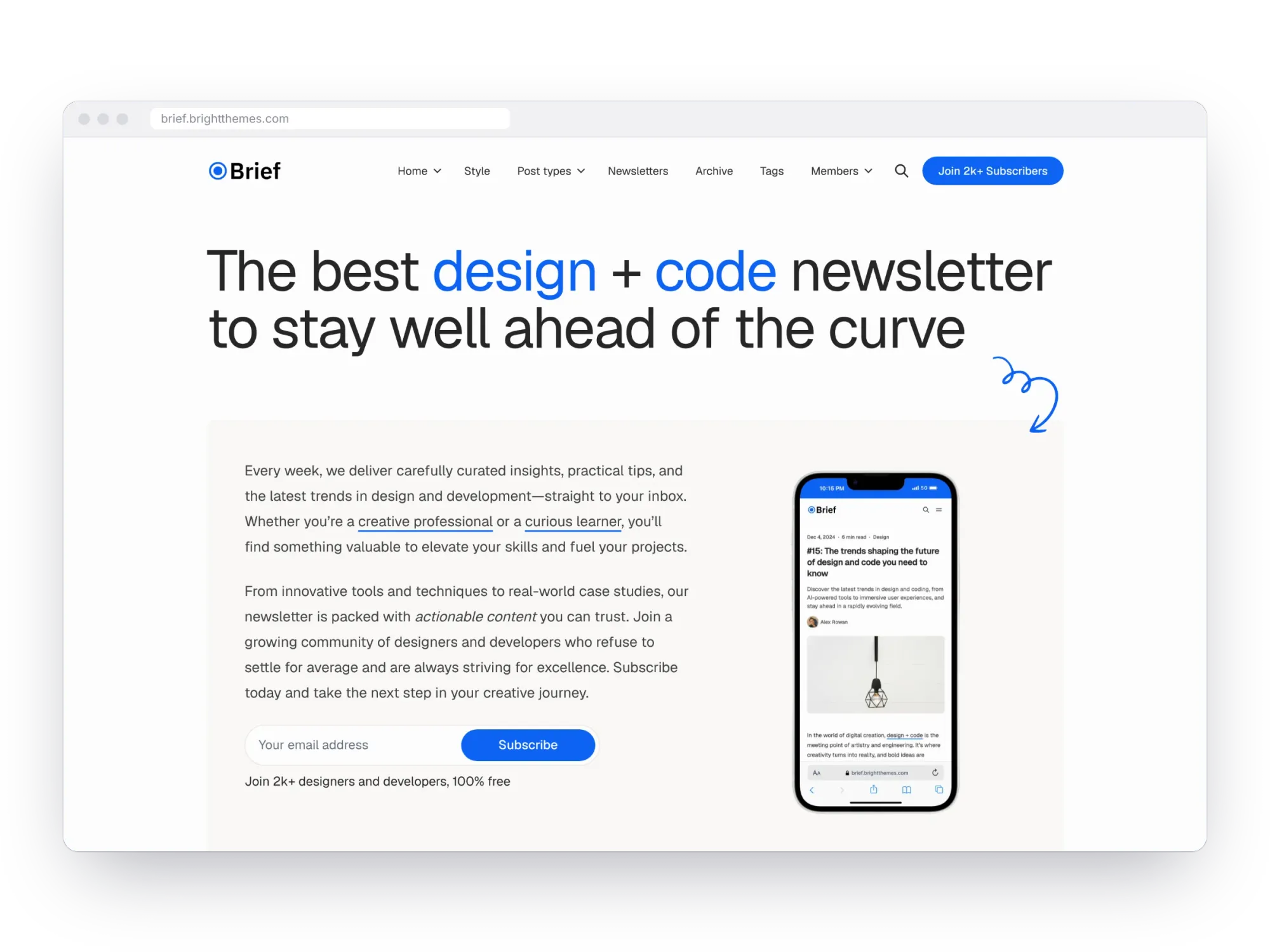
Brief, from Bright Themes, is built for newsletter publishers. Its hero comes in several layouts with an inline subscribe form or a separate subscribe section, and it has pages for several newsletters and for your archive, plus testimonial and logo sections to show who already reads you.
7. Dashi ($149)
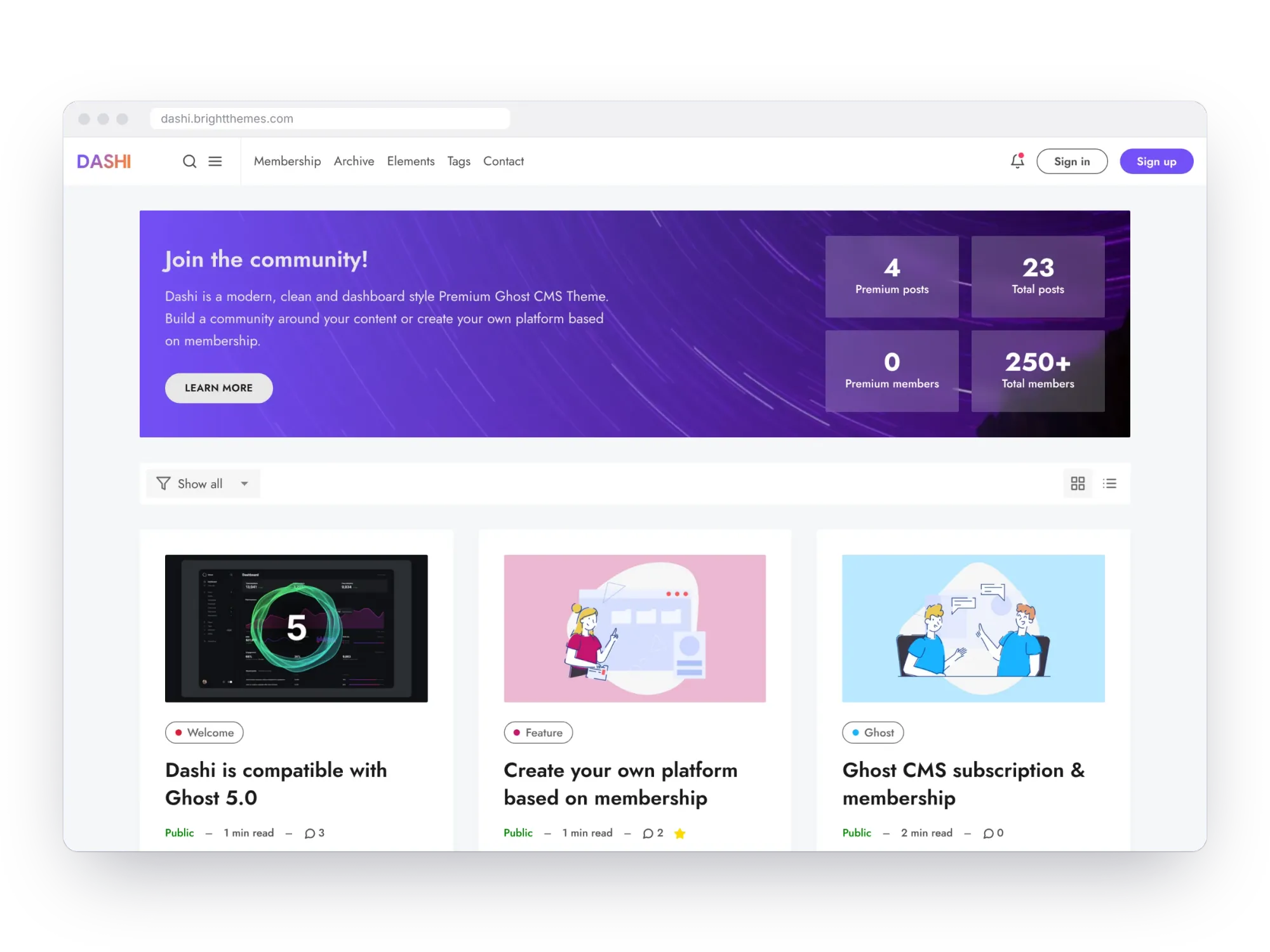
Also from Bright Themes, Dashi is the most membership-aware theme here. Its welcome section asks visitors to subscribe, asks free members to upgrade, and sends paying members to their account. Members-only posts show a call to action for readers without access, and it has extra post types and pages for building a community.
8. Krabi ($149)
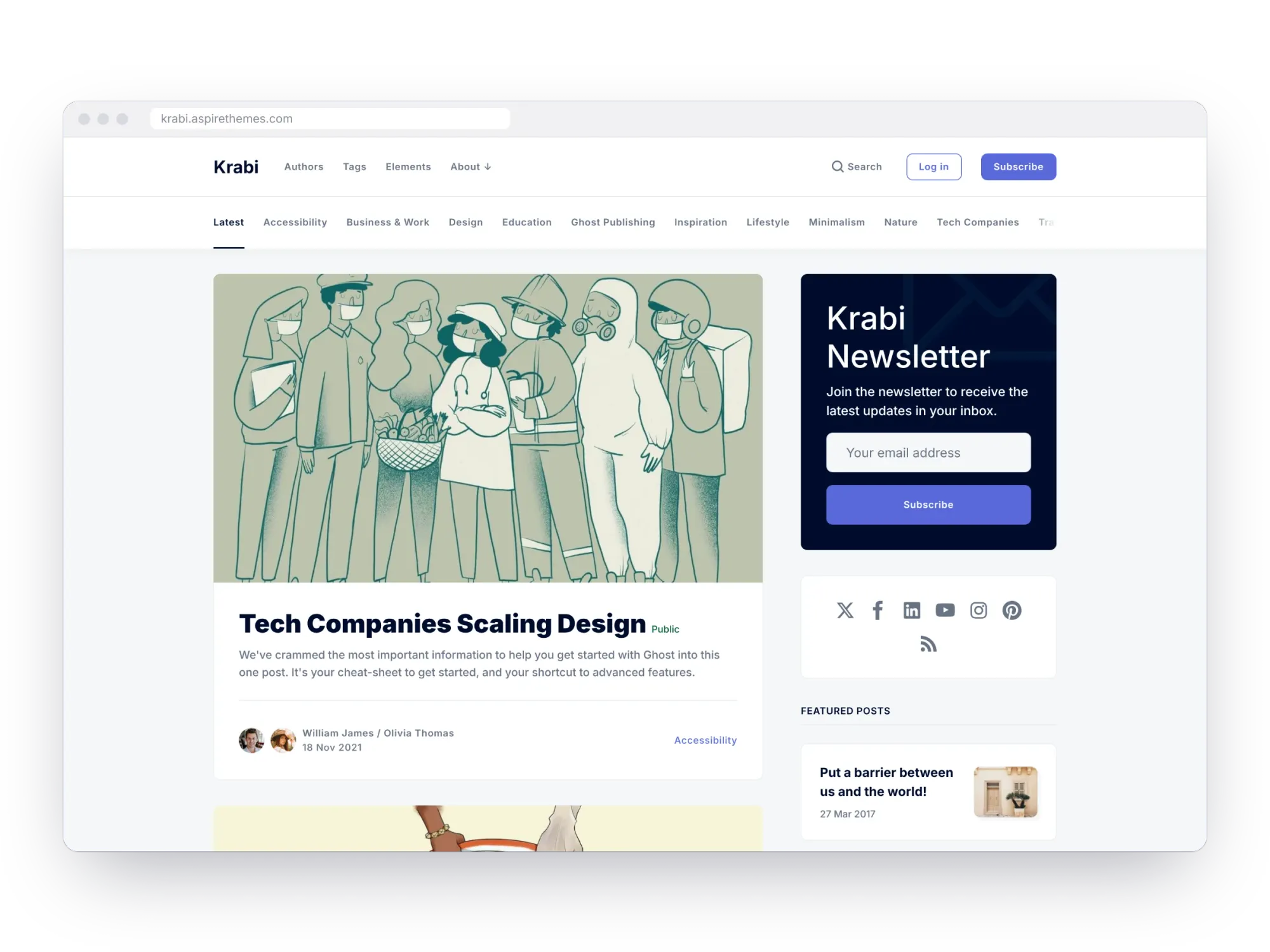
Krabi, from Aspire Themes, is a magazine-style theme with a main column of stories and a sidebar that keeps the newsletter signup in view. It supports Ghost 6, native search and comments, translations and dropdown menus.
Ectobuilder themes built for memberships
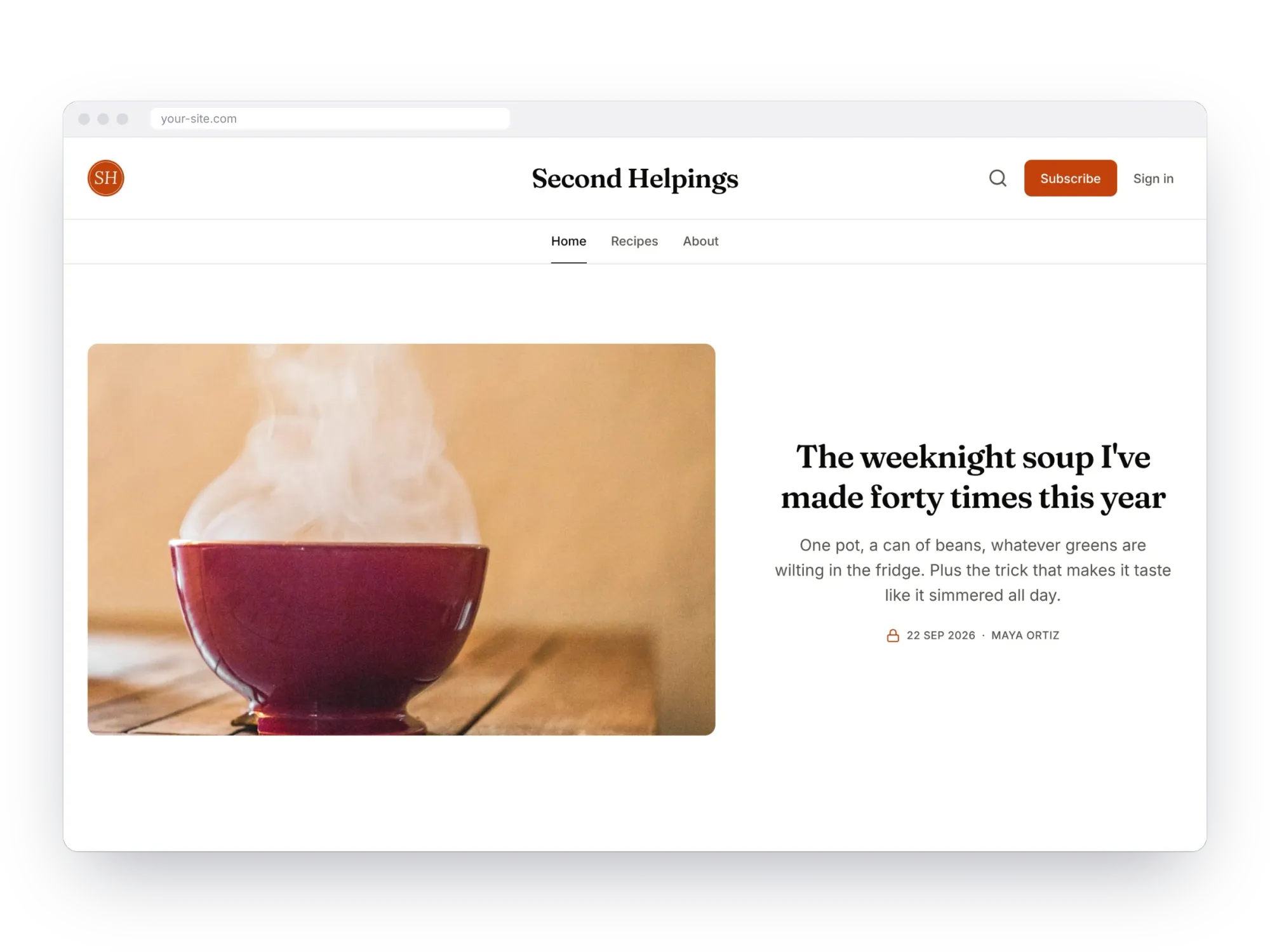
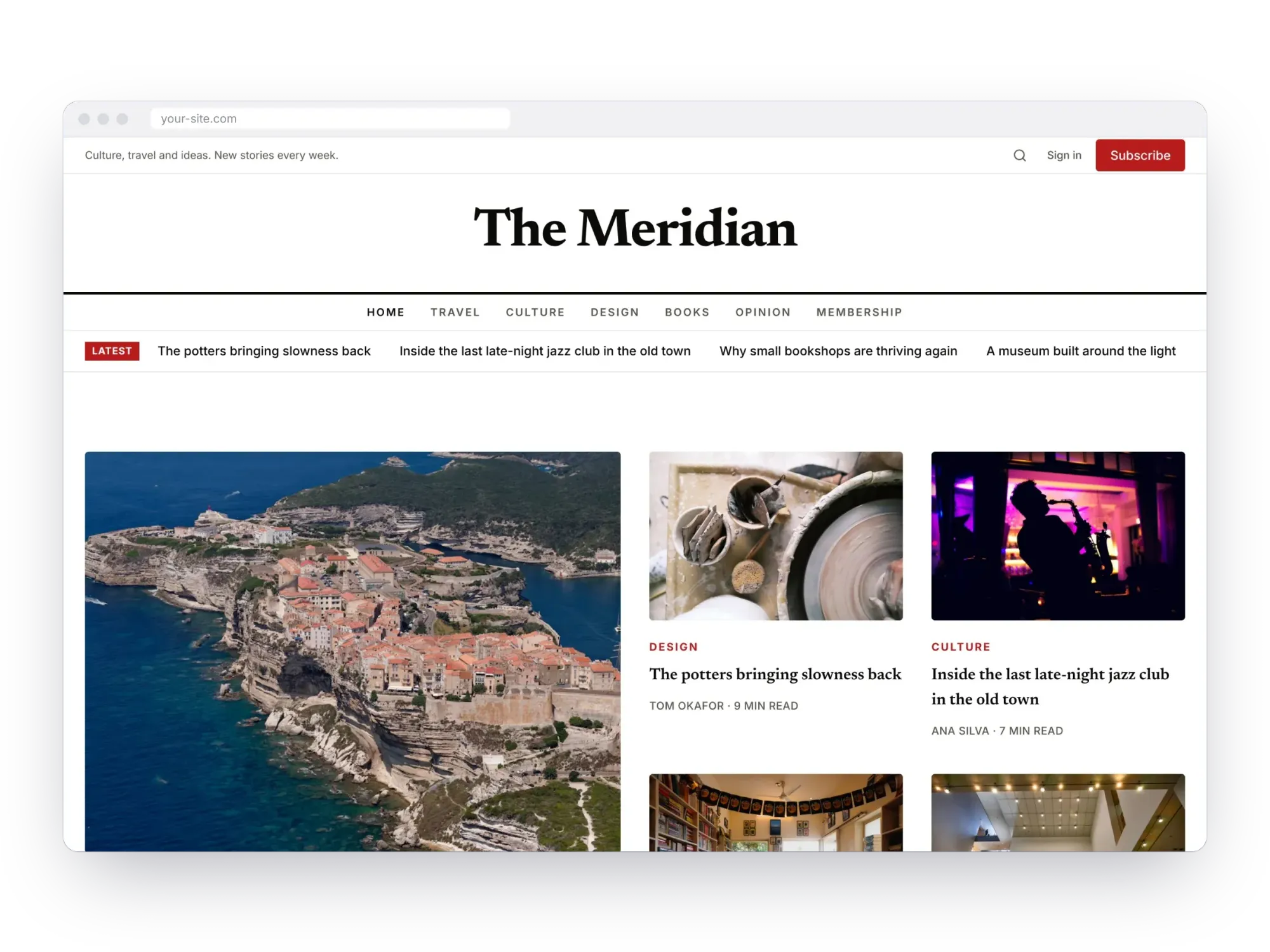
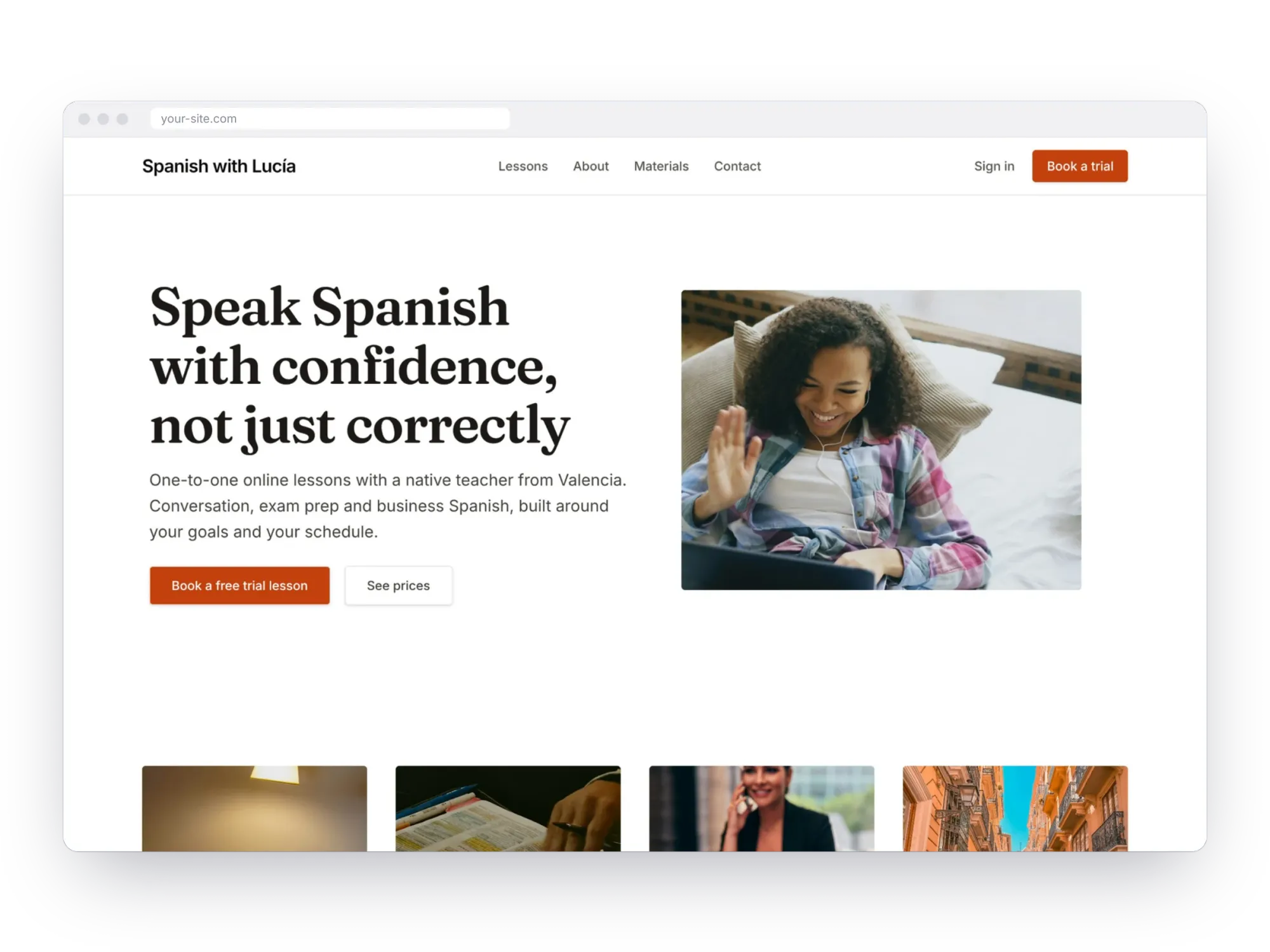
Marketplace themes are fixed: you get their layout and change details in code. Ectobuilder is a visual Ghost theme builder, and its gallery includes four themes designed around a paid membership. Each one is a starting point you change by clicking, then publish to your Ghost site.
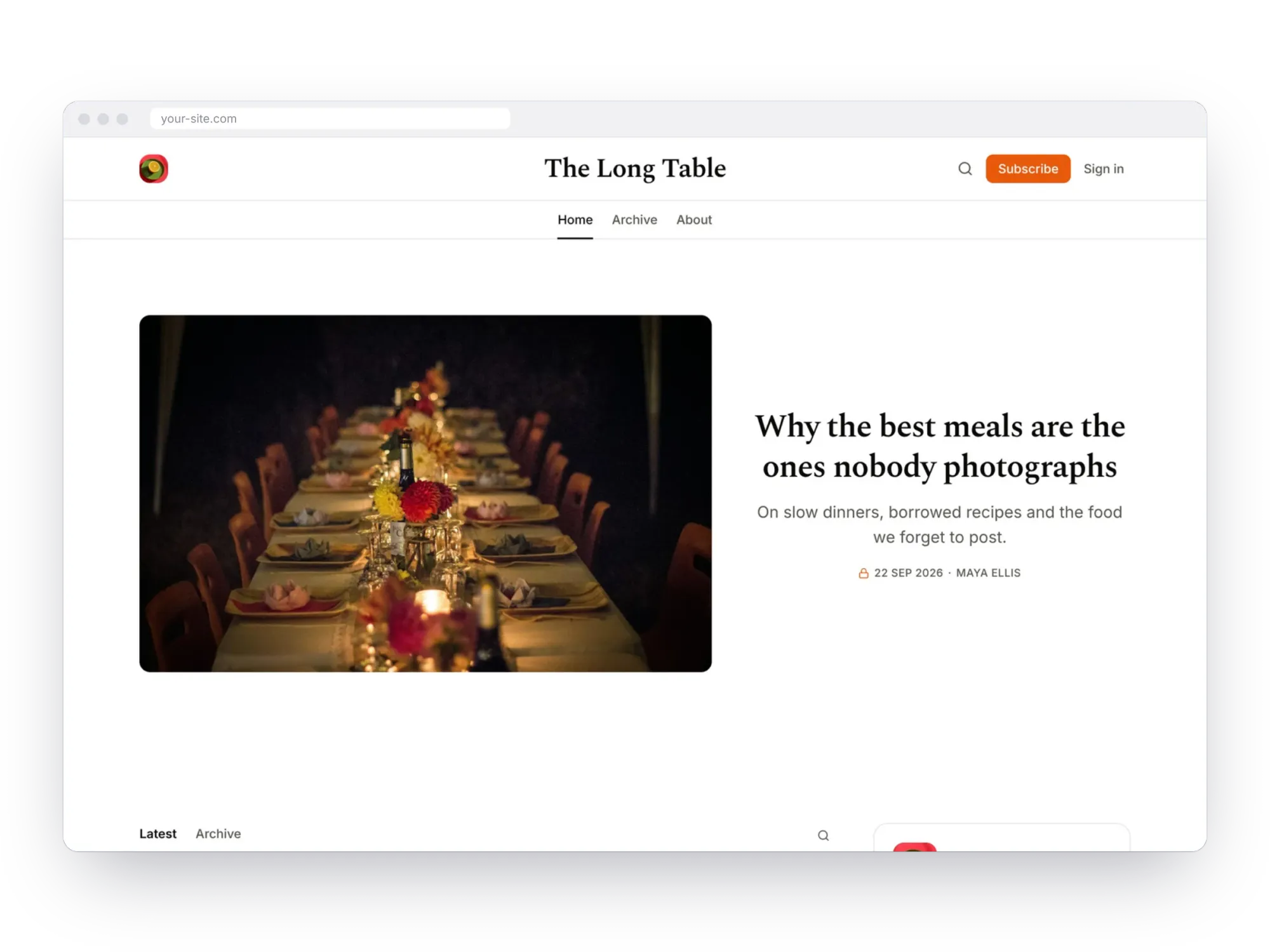
- Newsletter. A Substack-style homepage and reading page, paid plans, /p/ post addresses and comments. Newsletter theme guide.
- Food Blog. Recipes grouped by meal, a lead recipe, and a membership with free and paid plans. Food Blog theme guide.
- Magazine. Sections as tags, editor's picks, long reads and memberships with a weekly newsletter. Magazine theme guide.
- Language Tutor. Sell worksheets and audio behind Ghost's paywall, and take bookings for lessons. Language Tutor theme guide.
All four can take a pricing section that reads your Ghost tiers, with a monthly and yearly switch, and any section from the library: testimonials, FAQs, a waitlist or a contact form. Building is free; publishing starts at $79 a year.

Design your membership site by clicking.
Start from the Newsletter, Food Blog, Magazine or Language Tutor theme, add a pricing section with your Ghost tiers, and publish. Free to start.
Setting up memberships in any theme
The theme shows your membership; Ghost runs it. Whichever theme you choose:
- In Ghost Admin, open Settings → Membership and choose who can sign up.
- Connect Stripe to take payments.
- Create your tiers, with monthly and yearly prices and what each includes.
- Set each post's access to public, members or paid in the post settings, and add a public preview with the paywall card.
- Check Portal, Ghost's signup popup, under Settings → Membership → Portal settings, so its look matches your theme.
Moving an existing paid newsletter to Ghost? See how to migrate from Kit or beehiiv, or compare platforms in Ghost vs Substack vs beehiiv.
FAQ
Do I need a special theme for Ghost memberships?
No. Every modern Ghost theme supports sign-up and sign-in through Portal. A membership theme just sells the membership better, with signup forms in more places, clear paid labels and a plans page.
Can I use a paid theme on Ghost(Pro) Starter?
No. Starter only runs Ghost's official themes, and it doesn't include paid subscriptions. You need Publisher or another Ghost host. See custom themes on Ghost(Pro) Starter.
Does Ghost take a cut of my membership revenue?
No. Ghost takes 0% of subscription payments, on Ghost(Pro) and when you host it yourself. Stripe charges its usual processing fees.
Which free theme is best for a paid newsletter?
Source, for most people: it's Ghost's default, it's kept up to date, and its Landing header puts the signup form first. Choose Bulletin or Edition for a homepage that's almost only a signup.
Can I change a marketplace theme's layout without code?
Only through its own settings. To move or add sections you'll edit its Handlebars files. If you want to change the layout often, build your theme in a visual builder instead.
Some links in this article are affiliate links: if you sign up through them, Ectobuilder may earn a commission at no extra cost to you. Theme prices were checked in October 2026 and may change.
Written by
Founder of Ectobuilder, the AI-powered visual theme editor for Ghost. Indie software builder in Wrocław and co-author of The AdTech Book. I write about Ghost themes, newsletters and building websites with AI.
Comments
Questions or thoughts? Share them below.
Keep reading
PikaPods Custom Domain: Why Only www Works (and How to Fix the Root Domain)
PikaPods maps one custom domain per pod, so yourdomain.com without www stays on a parked page with no SSL. Here's why, and three ways to redirect it to www over HTTPS without touching your email records.
How to Migrate from Kit or beehiiv to Ghost (Subscribers, Paid Members, Posts and Redirects)
Move your newsletter from Kit (ConvertKit) or beehiiv to Ghost step by step: export and import subscribers, deal with paid members and Stripe, bring your posts across, set up redirects and your domain, warm up email sending, and make the new site look right.
How to Use ChatGPT to Create 301 Redirects (Prompts, File Formats and Testing)
Let ChatGPT or Claude match your old URLs to new ones and write the redirect file for Ghost, Apache, Nginx, Netlify or Vercel. Prompts to copy, the mistakes to avoid, and how to test every redirect.