
How to Add Syntax Highlighting and a Copy Button to Ghost Code Blocks
Ghost doesn't color code blocks or let readers copy them in one click. Here's how to add syntax highlighting in your theme's own colors, a language bar with a Copy button, light or dark blocks, line numbers and wrapping. No code.

Michal Wlosik
· 5 min read
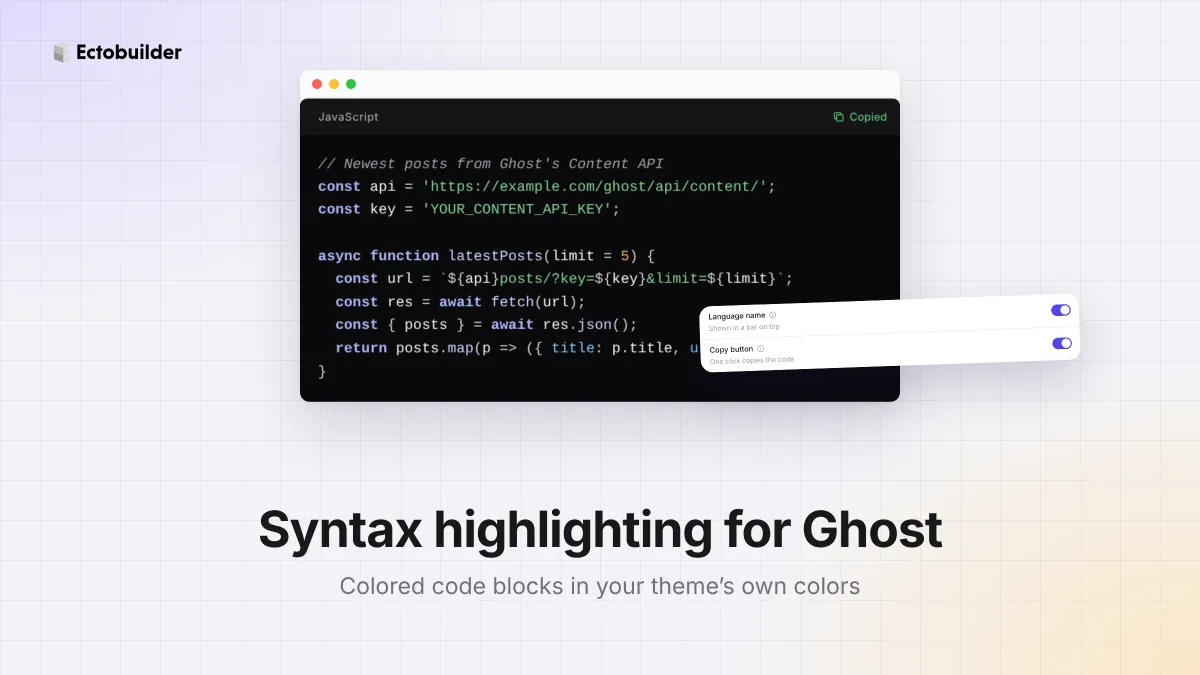
If you write tutorials, documentation or developer notes on Ghost, your code blocks are probably a single color: white text on a dark box. Readers have to select the code by hand to copy it, and long blocks are hard to scan. Colored code with a Copy button fixes both: keywords, strings and comments stand out, and one click puts the whole block on the clipboard.
Ghost doesn't do either by itself. This guide shows how to add both to your theme, in colors that match the rest of your design, and how to tell Ghost which language each block is in.
See it live
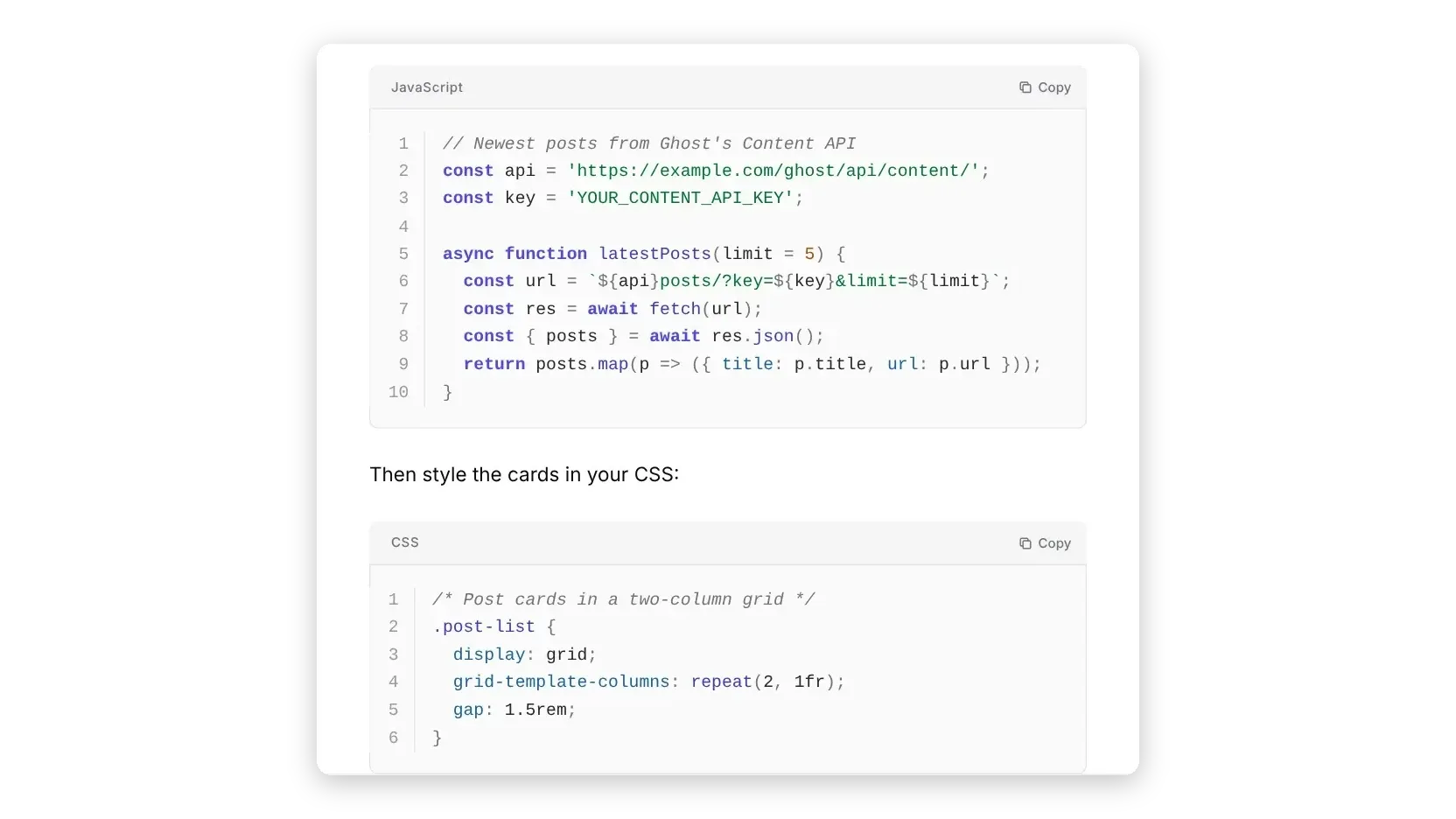
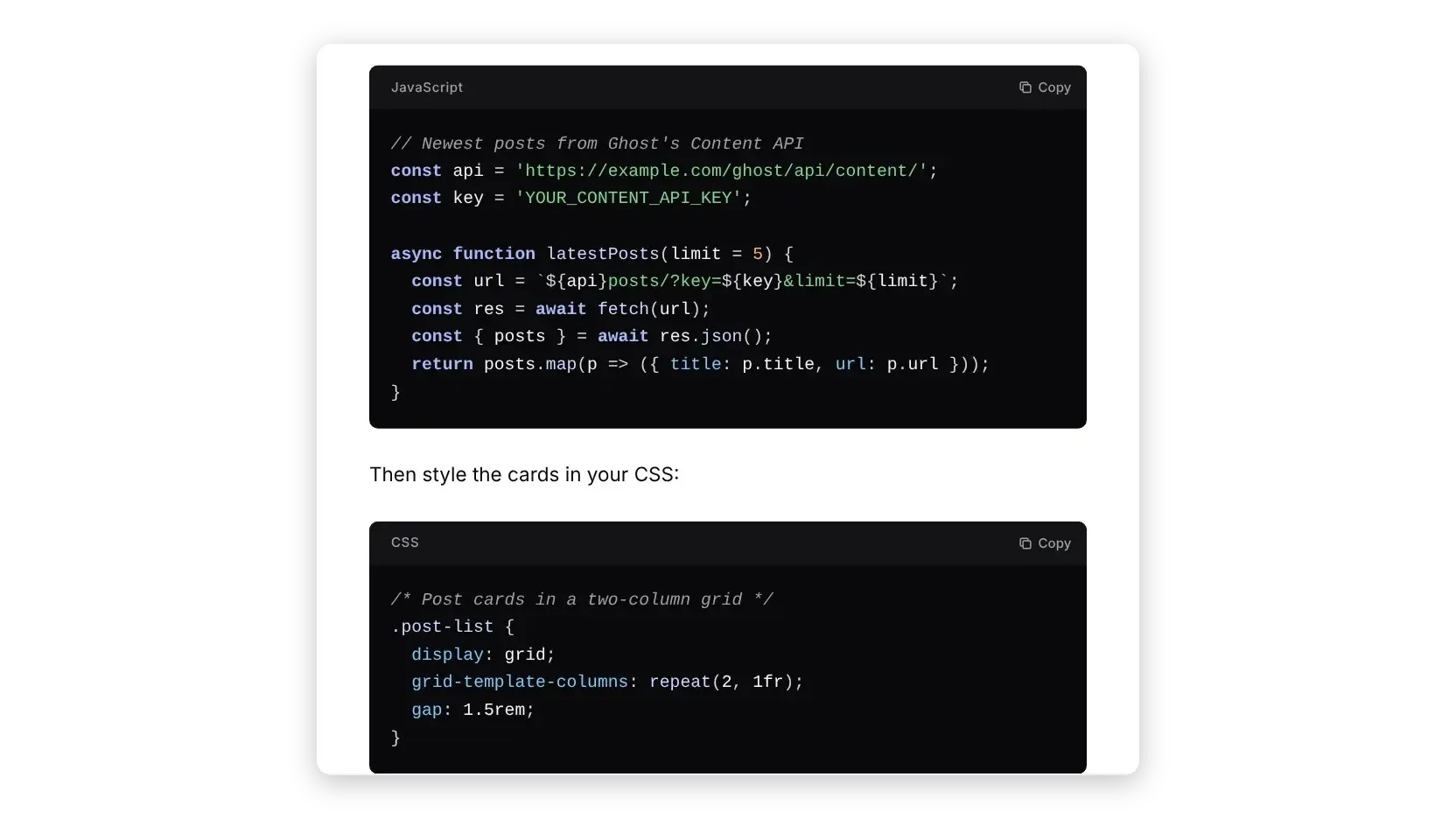
These code blocks are on this very page, styled by our own Ectobuilder theme. Try the Copy button. In Ghost, each one is a normal code card with its language set.
// Newest posts from Ghost's Content API
const api = 'https://example.com/ghost/api/content/';
const key = 'YOUR_CONTENT_API_KEY';

async function latestPosts(limit = 5) {
  const url = `${api}posts/?key=${key}&limit=${limit}`;
  const res = await fetch(url);
  const { posts } = await res.json();
  return posts.map(p => ({ title: p.title, url: p.url }));
}
/* Post cards in a two-column grid */
.post-list {
display: grid;
grid-template-columns: repeat(2, 1fr);
gap: 1.5rem;
}
.post-card:hover { color: #4f46e5; }import requests
# Count published posts per tag
def posts_per_tag(site, key):
url = f"{site}/ghost/api/content/tags/"
params = {"key": key, "include": "count.posts"}
tags = requests.get(url, params=params).json()["tags"]
return {t["name"]: t["count"]["posts"] for t in tags}Does Ghost highlight code?
No. Ghost's editor has a code card, and you can tell it the language, but it only adds a label to the block (language-javascript, for example). Coloring the code is left to your theme, and so is a Copy button. Most themes have neither.
Ghost's documentation suggests adding a highlighting script (Prism) and its stylesheet through code injection. That works, but the colors come from a ready-made Prism theme that rarely matches your site, it loads on every page, and there's still no Copy button.
What Ectobuilder does
- Colors in your theme's palette. Keywords and function names use your accent color. Strings, numbers and properties get soft greens, oranges and blues, and comments are gray italics. Nearly 300 languages.
- A language bar with a Copy button. Each block gets a slim bar with its language, like "JavaScript", and a Copy button that copies the whole block and says "Copied". Without the bar, the button sits in the block's corner and appears when the pointer is over the code.
- Dark, light or matching. Pick dark blocks, light blocks, or blocks that follow the page: light on a light page, dark in dark mode.
- Line numbers in a column that stays put while long lines scroll.
- Wrapping for long lines, so readers on phones don't scroll sideways.
- Loads only where it's needed. The highlighter loads on pages that have code, and only the languages that page uses.
How to add code highlighting to Ghost
1. Open the code block settings
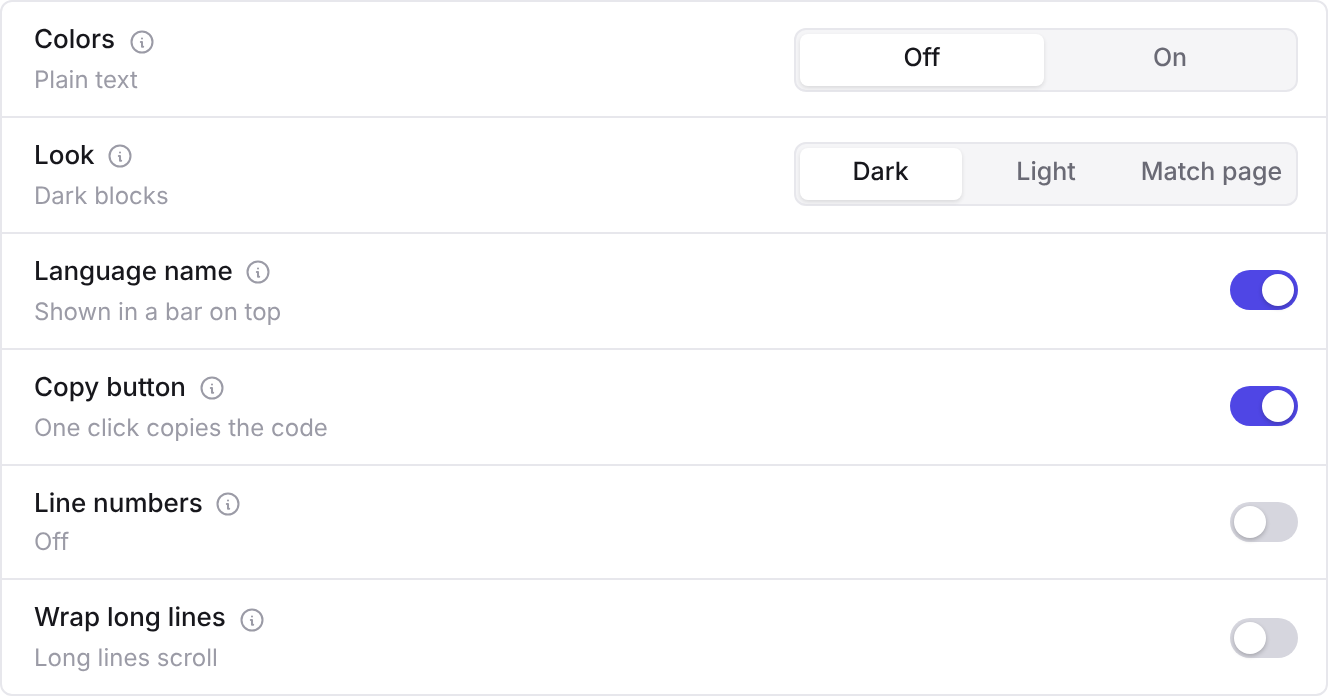
Open your theme in Ectobuilder, click Settings in the left rail and open Features. Scroll to Code blocks.
2. Choose what you want
- Colors: On colors code by language.
- Look: Dark, Light, or Match page.
- Language name and Copy button: both on by default.
- Line numbers or Wrap long lines: pick one. Line numbers need each line on its own row, so they're off while lines wrap.
3. Deploy
Deploy your theme to Ghost. Every code block in your posts and pages gets the new look, old posts included.
4. Set the language on your code blocks
Colors and the language name need to know which language a block is in. In Ghost's editor:
- Code card: type
/codeto add one, paste your code, and type the language in the card's language field, for examplejavascript,pythonorcss. - Markdown: type three backticks followed by the language, like
```python, then your code.
A block with no language stays plain and has no language bar, which suits terminal output or plain text. It still gets the Copy button.

Make your tutorials easier to read and use.
Colored code, a Copy button and line numbers in your Ghost theme, in colors that match your design.
The code route
Without Ectobuilder, the usual approach is Prism through Ghost's code injection. You'll need to:
- In Ghost Admin, go to Settings → Code injection.
- In the site header, add a Prism stylesheet (a ready-made theme such as Tomorrow or Okaidia).
- In the site footer, add Prism's script, plus the autoloader plugin so it fetches each language as needed.
- For a Copy button, add Prism's toolbar and copy-to-clipboard plugins too, and style them to fit.
- Adjust the colors with your own CSS if the Prism theme doesn't match your site, and check them in dark mode.
It loads on every page, and the colors are Prism's rather than yours, but it doesn't need a theme change.
Tips
- Always set the language. It's the one thing the highlighter can't guess, and it gives the block its label.
- Turn on line numbers if you refer to lines. "Change line 6" is easier to follow when line 6 is numbered.
- Wrap lines if most readers are on phones. Otherwise keep lines around 80 characters, so they fit without scrolling.
- Use comments for explanations. They show in gray italics, so they read as notes, not code.
Related guides
- Table of contents for Ghost posts: builds itself from your headings and follows the reader.
- Full-text search for Ghost: search inside every post, not just titles.
- Custom fonts in Ghost: pick a font or upload your own files.
- How to build your Ghost theme visually: every step, from picking a theme to publishing it to Ghost.
FAQ
Which languages are supported?
Nearly 300, from JavaScript, Python, CSS and HTML to Go, Rust, SQL, Bash, YAML and Handlebars. Type the language’s usual name in Ghost’s code card, like javascript or python.
Can I have the Copy button without colors?
Yes. The language bar, the Copy button, line numbers and wrapping each have their own switch, and work with colors on or off.
Does it slow down my site?
Only pages with code load the highlighter, and only the languages on that page. The bar and Copy button are a few lines of script in the theme.
Are code blocks colored in my newsletter emails?
No. Emails are built and sent by Ghost, and email apps don’t run theme scripts, so code stays plain in the email, without a Copy button. It’s styled on your site.
Can I translate “Copy” and “Copied”?
Yes. They’re under Settings → Language with the rest of your theme’s words, and one-click translation fills them in too.
Can I change the colors?
They follow your theme: change your accent color under Style and the keywords and function names follow. For full control, add your own CSS under Settings → Custom code.
Build a Ghost theme for technical writing.
Code blocks with colors and a Copy button, a table of contents, full-text search and dark mode, designed visually and deployed straight to Ghost.
Written by
Founder of Ectobuilder, the AI-powered visual theme editor for Ghost. Indie software builder in Wrocław and co-author of The AdTech Book. I write about Ghost themes, newsletters and building websites with AI.
Comments
Questions or thoughts? Share them below.
Keep reading
PikaPods Custom Domain: Why Only www Works (and How to Fix the Root Domain)
PikaPods maps one custom domain per pod, so yourdomain.com without www stays on a parked page with no SSL. Here's why, and three ways to redirect it to www over HTTPS without touching your email records.
How to Migrate from Kit or beehiiv to Ghost (Subscribers, Paid Members, Posts and Redirects)
Move your newsletter from Kit (ConvertKit) or beehiiv to Ghost step by step: export and import subscribers, deal with paid members and Stripe, bring your posts across, set up redirects and your domain, warm up email sending, and make the new site look right.
How to Use ChatGPT to Create 301 Redirects (Prompts, File Formats and Testing)
Let ChatGPT or Claude match your old URLs to new ones and write the redirect file for Ghost, Apache, Nginx, Netlify or Vercel. Prompts to copy, the mistakes to avoid, and how to test every redirect.