
Ghost vs Substack (2026): Fees, Features and Which to Choose
Substack is free but takes 10% of paid subscriptions; Ghost charges a flat fee and takes nothing. An honest comparison of cost, features, discovery and moving between them.

Michal Wlosik
· 7 min read
Ghost and Substack both let you publish posts, send them as a newsletter and charge for subscriptions. They're built on opposite ideas, though. Substack is a free network: you join it, it takes a cut, and it helps readers find you. Ghost is software you own: you pay a flat fee or host it yourself, keep all your revenue, and build your own corner of the web. Weighing beehiiv, Kit or Buttondown too? See our newsletter platform comparison.
This comparison covers what each one costs in 2026, what you get, what you give up, and which one suits which kind of writer. Prices were checked on Substack's and Ghost's own pages on 9 October 2026.
Disclosure: we make Ectobuilder, a theme builder for Ghost. We've kept this comparison honest; Substack is the better choice for plenty of writers, and we say who.
The short answer
- Choose Substack if you're starting out, don't earn from paid subscriptions yet, and want readers to find you through Substack's app and network.
- Choose Ghost if you earn (or plan to earn) from paid subscriptions, want your own brand and website, and want to own your platform as well as your list. When you’re ready to sell, here’s how to build a pricing page in Ghost.
Ghost vs Substack at a glance
| Substack | Ghost | |
|---|---|---|
| Cost to start | Free | From $15/month on Ghost(Pro) (billed yearly); the software is free to self-host |
| Paid subscriptions | Free plan; Substack keeps 10% + Stripe fees | From $29/month (Publisher); 0% cut + Stripe fees |
| Custom domain | One-time $50 | Included on every plan |
| Design | Substack's layout with colour and logo options | Any theme, or your own custom design |
| Discovery | Substack app, Notes, recommendations, leaderboards | Recommendations, Ghost Explore, social web (ActivityPub) |
| Reader app | Yes, iOS and Android | No dedicated app |
| Podcasts and video | Built in, including live video | Through embeds and integrations |
| Comments | Yes | Yes, members-only |
| Multiple newsletters | Sections | Up to 3 on Publisher, 10 on Business |
| Integrations and API | Limited | Zapier, webhooks, Admin API on Publisher and up |
| Owning your data | Export posts and subscribers | Export everything; open-source software you can move anywhere |
Pricing: free with a cut vs a flat fee
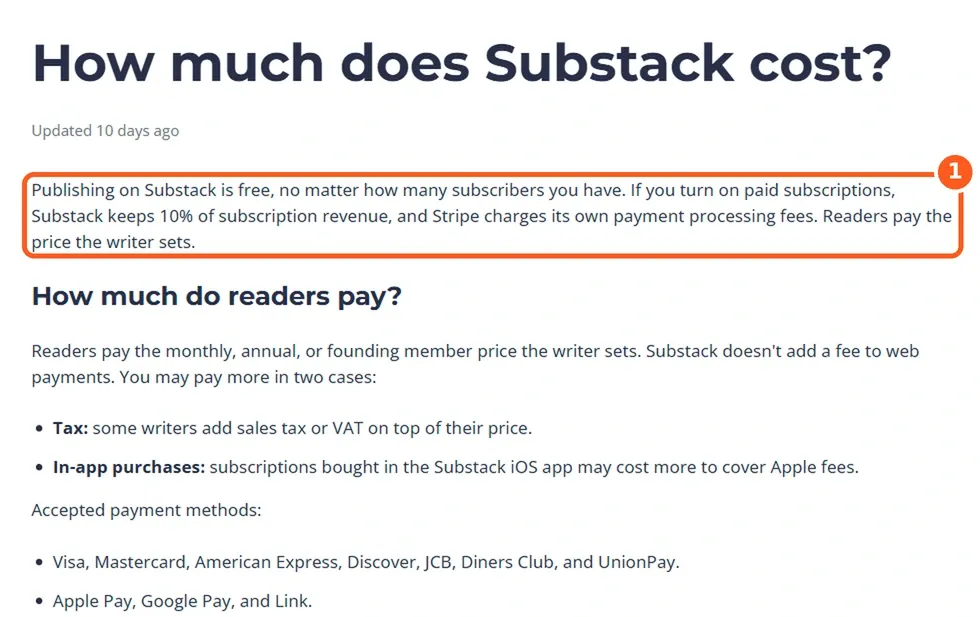
Substack is free to publish at any size. Once you turn on paid subscriptions, it keeps 10% of subscription revenue, and Stripe charges its own processing fees on top.
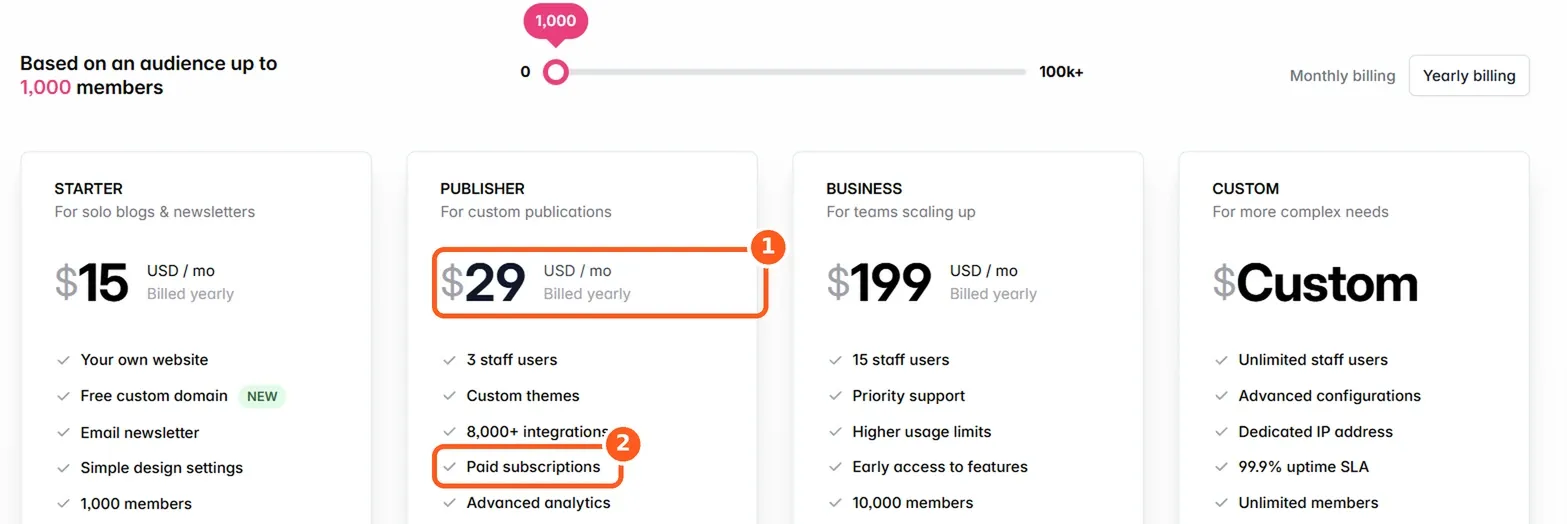
Ghost(Pro) charges a flat monthly fee based on how many members (free and paid) you have, and takes nothing from your revenue. Starter ($15/month billed yearly) doesn't include paid subscriptions; Publisher ($29/month billed yearly, $35 monthly, for up to 1,000 members) does. Business is $199/month billed yearly for up to 10,000 members. Stripe's fees apply on Ghost too.
Why Ghost(Pro)? It’s the official hosting, run by the non-profit Ghost Foundation, so your subscription funds Ghost itself. Updates, backups, security and a worldwide CDN are handled for you, newsletter sending is included with no Mailgun account to set up, analytics work out of the box, and new features reach you first. Ghost takes 0% of your paid subscriptions. One thing to know: Starter runs only Ghost’s official themes, so choose Publisher for a custom theme. Try Ghost(Pro) free for 14 days.
Here's what that means in practice, before Stripe's fees, which you pay on both:
| Your publication | Monthly revenue | Substack takes | Ghost(Pro) costs |
|---|---|---|---|
| 1,000 members, no paid subscribers | $0 | $0 | $15 (Starter) |
| 1,000 members, 100 paying $8 | $800 | $80 | $29 (Publisher) |
| 10,000 members, 1,000 paying $8 | $8,000 | $800 | Up to $199 (Business) |
Substack wins when you don't charge: it's free, and Ghost isn't. Once paid subscriptions bring in a few hundred dollars a month, Ghost's flat fee is cheaper, and the gap grows with every subscriber. Self-hosted Ghost costs only a server and an email-sending service, but you're responsible for running it.
Where Substack is better
- Discovery. Substack's app, Notes and recommendation network can bring you readers you'd never reach on your own. This is the strongest reason to stay.
- Zero setup. Sign up, write, send. No hosting, no themes, no decisions.
- Free until you earn. There's no cost at all for a free newsletter of any size.
- Audio and video. Podcasts, video posts and live video are built in.
- A reader app. Readers get your posts in Substack's app alongside everyone else they follow.

Moving your newsletter to Ghost? Ectobuilder lets you design your Ghost site visually, from a Substack-style layout to a full homepage, without touching theme code.
Where Ghost is better
- No revenue cut. You keep everything except Stripe's fees.
- Your brand. Your own domain on every plan and a design that looks like you, not like Substack.
- A real website. Pages, landing pages, custom homepages, tags, authors and full SEO control, which matters if you want search traffic.
- Your platform, not just your list. Ghost is open source. You can move your whole site, members and all, to another host whenever you like.
- Flexibility. Multiple newsletters, tiers, offers, integrations, webhooks and an API.
- Independence. Your readers meet you on your site and in their inbox, not inside another company's feed.
The catch with each
Substack's catch is lock-in that grows over time. The 10% scales with your success. Readers who subscribed through Apple in the Substack iOS app can't be moved to another platform with their subscription. And Substack's moderation choices and push into social features have driven some writers away.
Ghost's catch is that you're on your own for growth. There's no app full of readers waiting to discover you, and on Ghost(Pro) you pay from day one. Design can also take work: the cheapest plan only runs Ghost's official themes, and a custom design means a paid theme or building your own.
Moving from Substack to Ghost
Ghost has a Substack importer built into its settings. It brings over your posts, your free subscribers and your paid subscribers, and paid subscriptions keep running on the same Stripe account without anyone re-entering their card. Comments, likes, Notes and app-only followers stay behind.
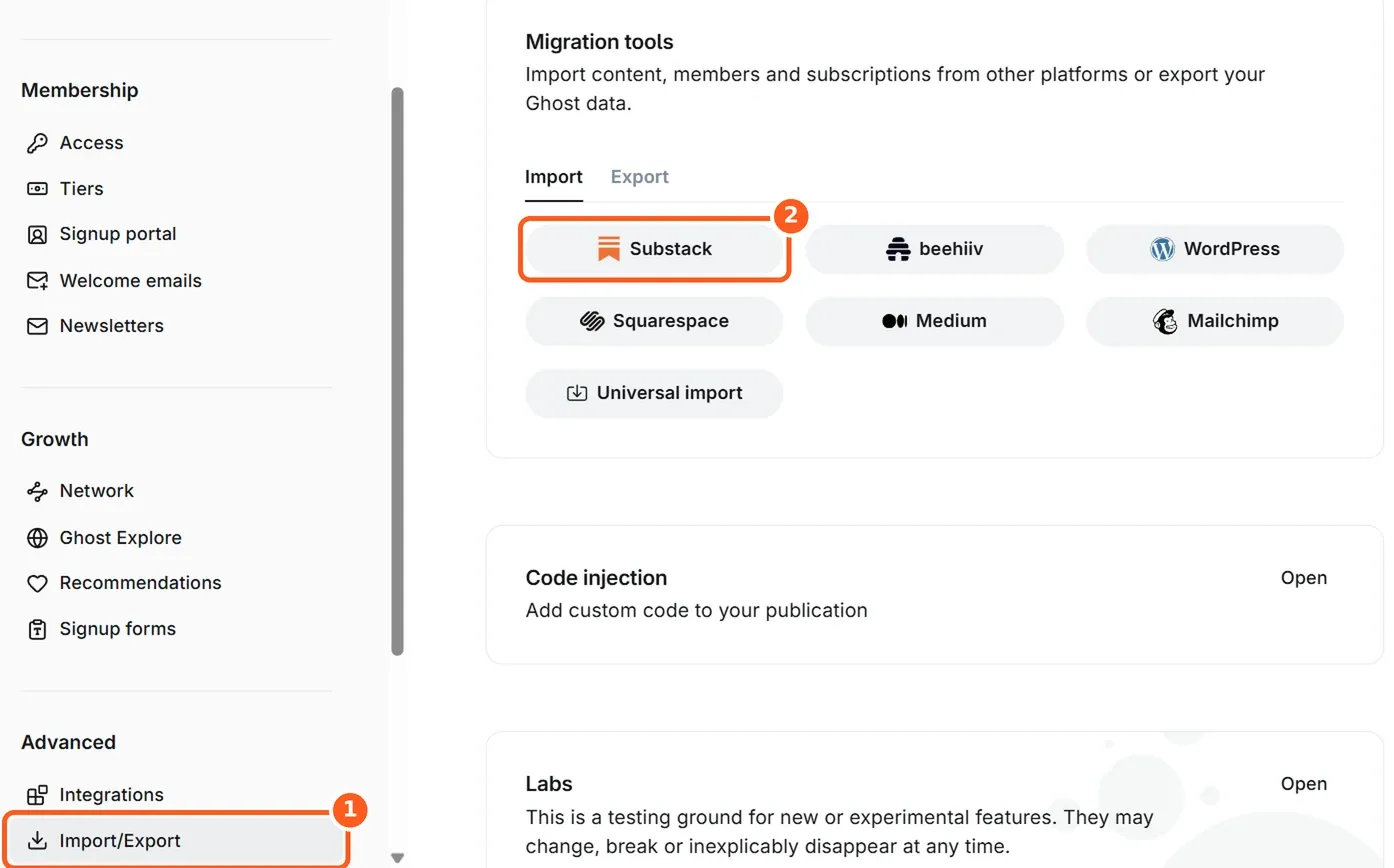
We wrote a full walkthrough with screenshots: How to migrate from Substack to Ghost (and what doesn't come with you).
Keep the Substack feel on Ghost
Moving doesn't mean your readers have to learn a new layout. You can give Ghost the same centred masthead, calm reading column and subscribe box, and even keep Substack's /p/ post addresses so old links keep working.
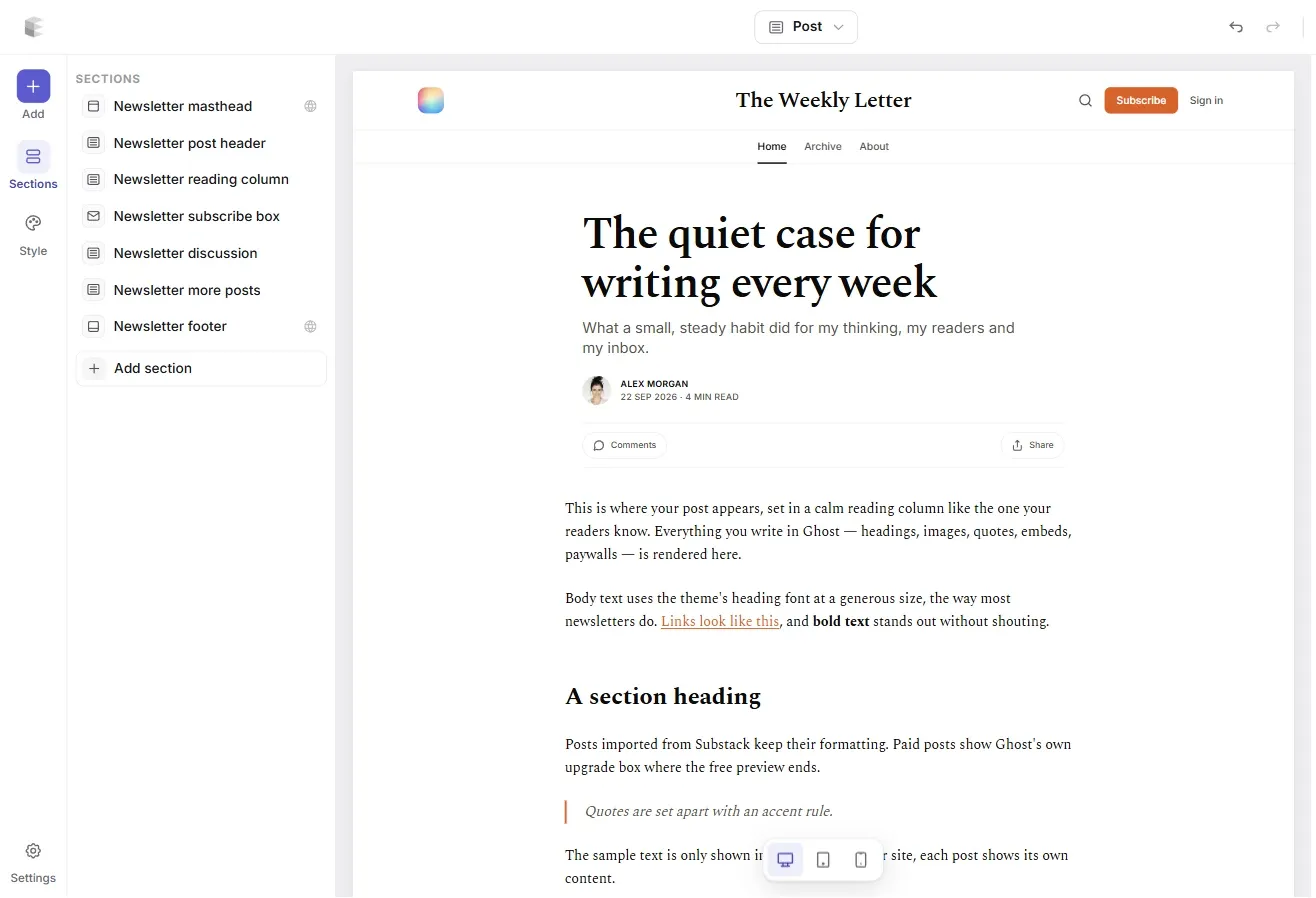
Ectobuilder builds that kind of Ghost theme visually, from ready-made sections, without code. Its MCP connector also lets you ask Claude or another AI assistant to build the theme or edit your posts and pages for you. The step-by-step guide: How to make Ghost look and feel like Substack.
Build your Ghost theme without code. Pick a theme from the Ectobuilder gallery or start from scratch, change it by clicking, and publish it to your Ghost site. Start free and only pay if you’re happy with it.
Which should you choose?
- Starting a free newsletter and want readers fast: Substack.
- Earning a few hundred dollars a month or more from subscriptions: Ghost will usually cost less, and the saving grows.
- Building a brand, a publication or a business: Ghost.
- Podcast or video first: Substack, or Ghost with a podcast host.
- Not sure: start on Substack and use a custom domain from day one. If you move later, your links come with you.
Still weighing other options too? See our comparison of Substack alternatives in 2026.
FAQ
Is Ghost cheaper than Substack?
For a free newsletter, no: Substack is free and Ghost(Pro) starts at $15/month. For a paid newsletter, usually yes once revenue passes a few hundred dollars a month, because Substack takes 10% and Ghost charges a flat fee.
Does Ghost take a percentage of subscriptions?
No. Ghost(Pro) plans with paid subscriptions take 0%. You pay Stripe's card fees, as you do on Substack.
Can I move paid subscribers from Substack to Ghost?
Yes, with Ghost's built-in importer, as long as you connect the same Stripe account Substack used. Subscriptions bought through Apple in Substack's iOS app can't be moved this way.
Does Ghost have an app like Substack?
No dedicated reader app. Readers get your posts by email and on your site, and through Ghost's social web support they can follow your publication from other apps.
Can Ghost look like Substack?
Sources
- Substack: How much does Substack cost?
- Ghost(Pro) pricing
- Ghost: Migrating from Substack
- Ghost 6.0 release notes
- journalism.co.uk on Substack's in-app purchases
Some links in this article are affiliate links: if you sign up through them, we may earn a commission at no extra cost to you.
Written by
Founder of Ectobuilder, the AI-powered visual theme editor for Ghost. Indie software builder in Wrocław and co-author of The AdTech Book. I write about Ghost themes, newsletters and building websites with AI.
Comments
Questions or thoughts? Share them below.
Keep reading
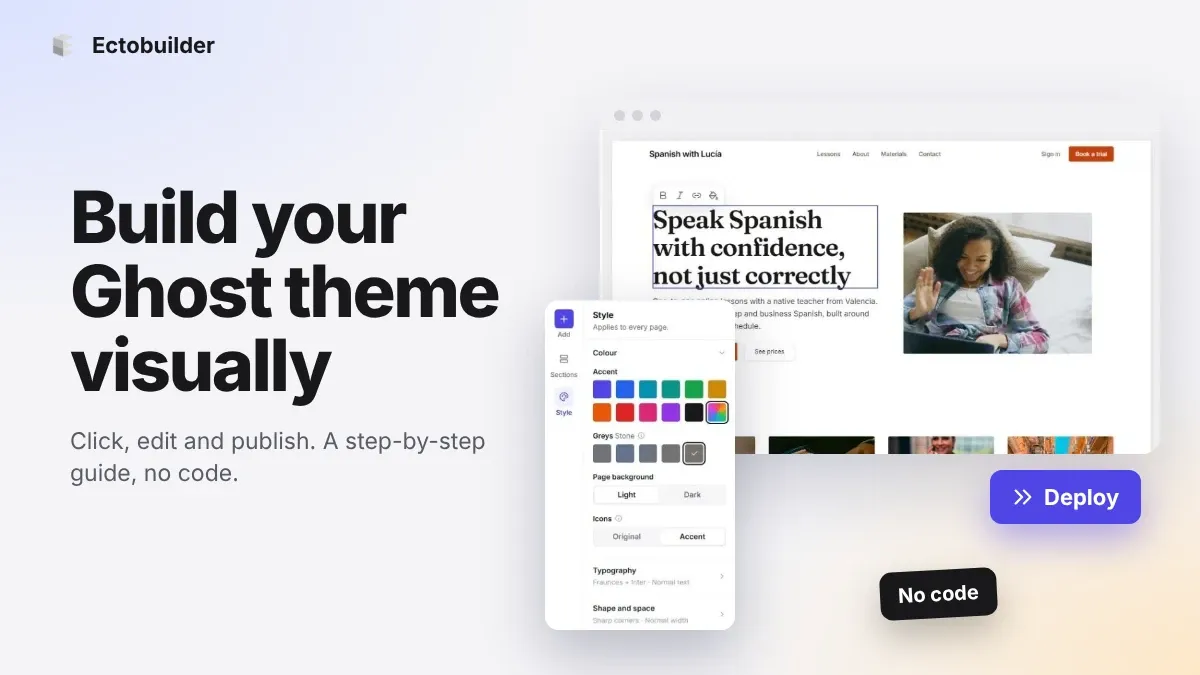
How to Build Your Ghost Theme Visually (Step-by-Step Guide, No Code)
Build a complete Ghost theme without touching code: start from a theme, edit text and pictures in place, add sections from a library of 270, set colours and fonts, design every page, and publish to Ghost in one click. Step by step, with screenshots.
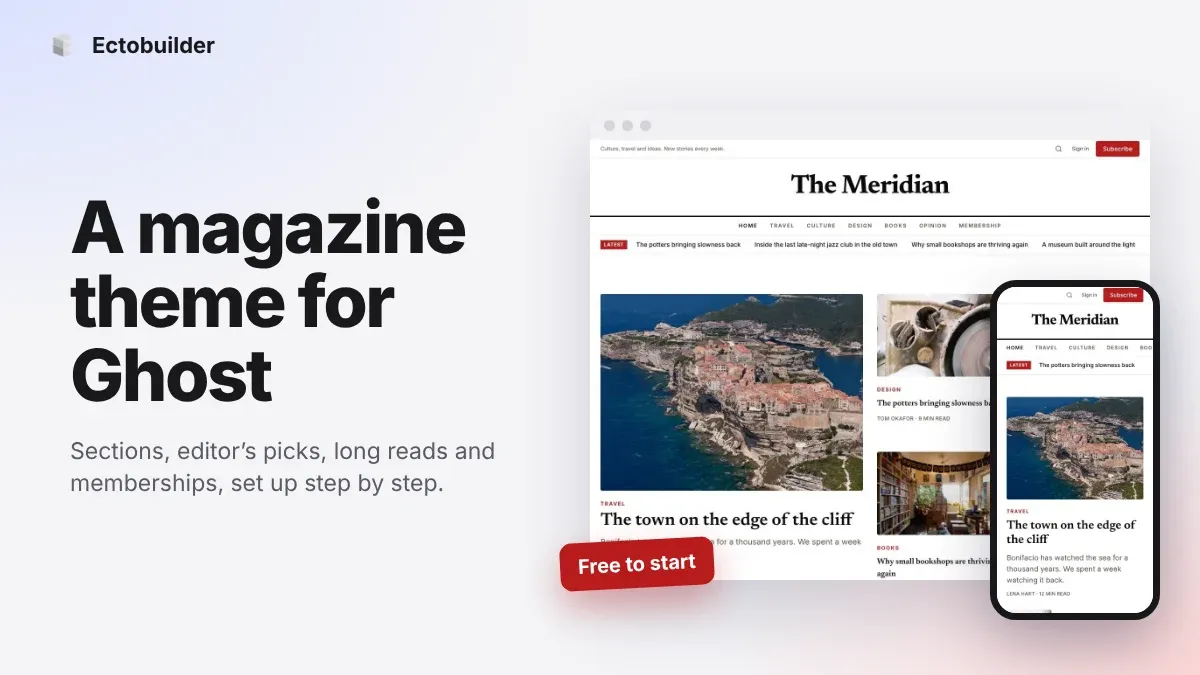
Magazine Theme for Ghost: Sections, Editor's Picks, Long Reads and Memberships
A step-by-step guide to the Magazine theme for Ghost: turn sections into tags, set up the navigation, fill the front page, editor's picks and section fronts, add your writers, sell memberships and send a weekly newsletter.
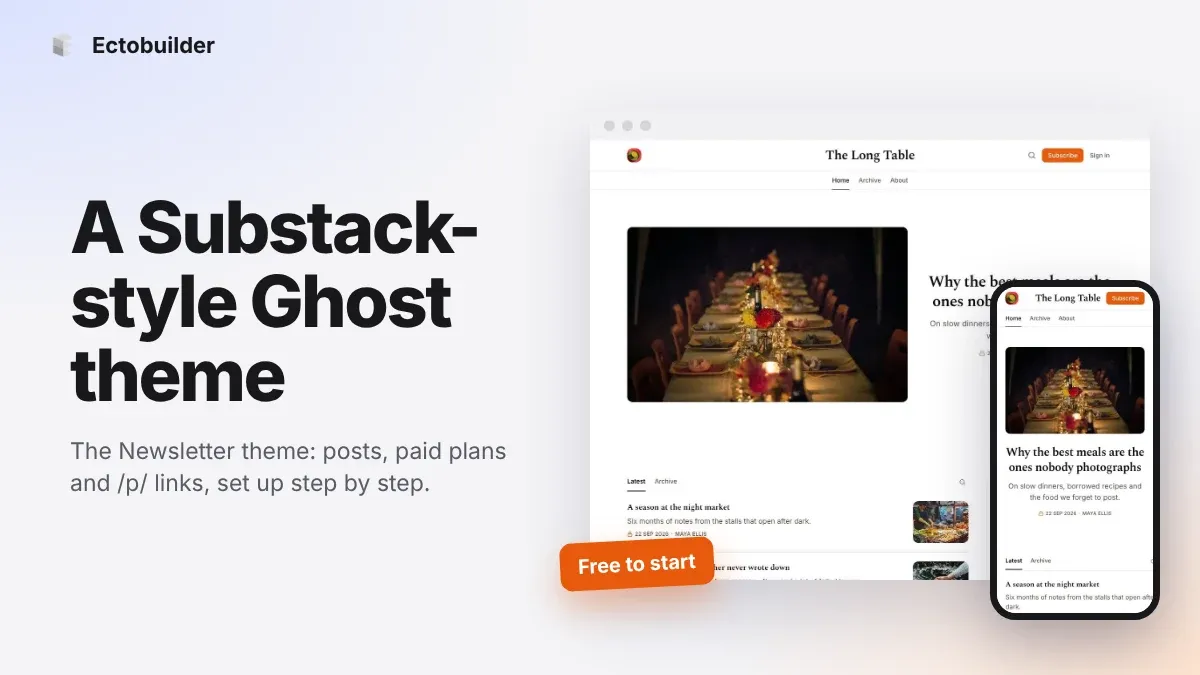
Newsletter Theme for Ghost: A Substack-Style Site With Paid Plans, /p/ Links and Comments
A step-by-step guide to the Newsletter theme for Ghost: a Substack-style homepage and reading page, then newsletters, paid plans, /p/ addresses, Plans, Welcome and About pages, comments and recommendations.