
Breadcrumbs for SEO: Why They Matter and How to Add Them to Ghost
Breadcrumbs tell readers and search engines where a page sits on your site. Ghost doesn't add them. Here's why they're worth having, what changed in Google in 2025, and how to turn them on in an Ectobuilder theme in two clicks.

Michal Wlosik
· 6 min read
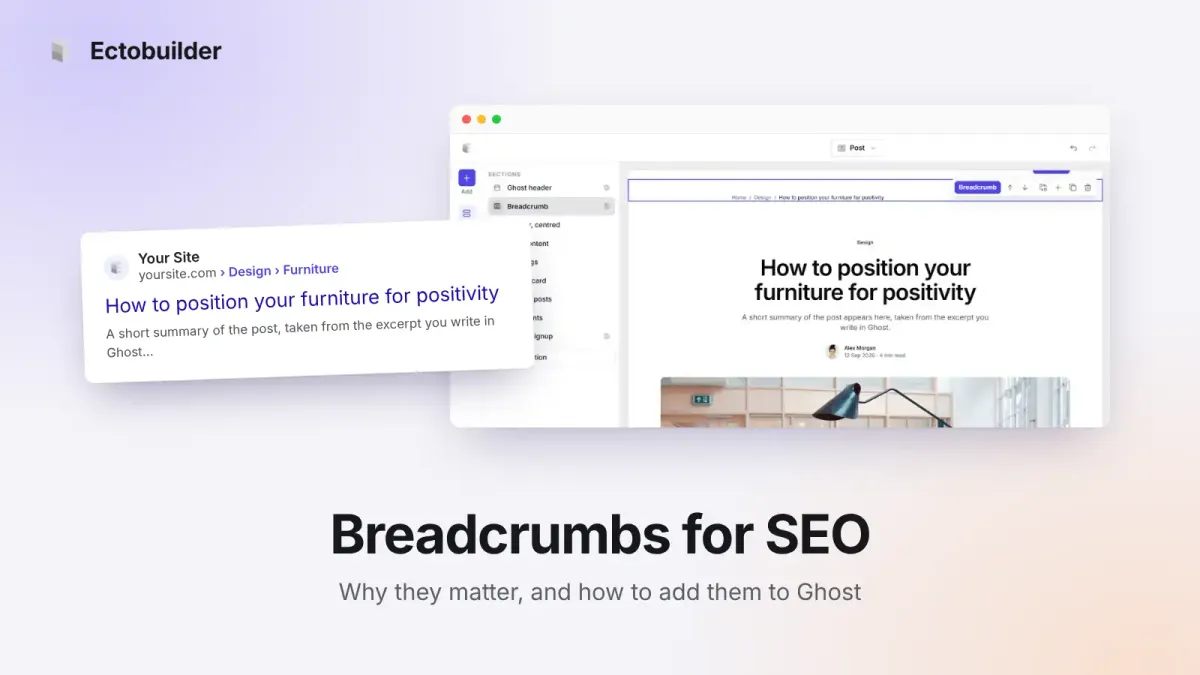
Breadcrumbs are the small trail of links near the top of a page, like Home / Guides / How to add comments to Ghost. They look like a minor detail, but they do two jobs at once: they show readers where they are, and they tell search engines how your site is organised.
Ghost doesn't add breadcrumbs, and most Ghost themes don't either. This guide explains what breadcrumbs do for SEO in 2026, including what Google changed in 2025, and how to add them to a Ghost site, with code or without.
What breadcrumbs are
A breadcrumb trail has two parts, and you want both:
- The visible trail on the page, a row of links from your homepage down to the current page.
- Breadcrumb structured data, a small block of
BreadcrumbListcode in the page that search engines read. It describes the same path in a machine-readable way.
The visible trail helps people. The structured data helps search engines. Each one is useful alone, but they work best together and should describe the same path.
Why breadcrumbs matter for SEO
They explain your site's structure
Ghost's web addresses are flat: a post lives at /post-title/, not /guides/post-title/. That's clean, but it tells a search engine nothing about which topic the post belongs to. Breadcrumbs add that missing layer. Built from your primary tag, they say "this post is part of Guides", which helps search engines group related pages and understand what your site covers.
They strengthen your tag pages
Every breadcrumb trail links to a tag page. Across dozens or hundreds of posts, that's a steady stream of internal links to your most important topic pages, which helps them get crawled, understood and ranked. Tag pages are often the best landing pages for broad searches, and they rarely get many links otherwise.
They can change how your result looks
With breadcrumb structured data, Google can show a readable path above your result, like yoursite.com › Guides, instead of a raw address. In January 2025 Google simplified results on mobile to show only the site name and domain, but on desktop it still shows the breadcrumb path, and Google still reads breadcrumb data to understand your pages. Other search engines and AI assistants read it too.
They keep readers on your site
Most visitors arrive from search on a single post. A breadcrumb gives them an obvious next step: one click to see everything else you've written on that topic. That means more pages per visit and fewer people leaving after one article.
Does Ghost have breadcrumbs?
No. Ghost writes good structured data for articles, authors and tags on its own, but no BreadcrumbList, and its default themes have no visible breadcrumb trail. You have to add them to your theme.
How to add breadcrumbs to Ghost with code
If you're comfortable editing your theme, the visible trail goes in post.hbs, using the post's primary tag:
{{#post}}
<nav aria-label="Breadcrumb">
  <ol class="breadcrumb">
    <li><a href="{{@site.url}}">Home</a></li>
    {{#primary_tag}}<li><a href="{{url}}">{{name}}</a></li>{{/primary_tag}}
    <li aria-current="page">{{title}}</li>
  </ol>
</nav>
{{/post}}
Then add matching BreadcrumbList JSON-LD to the page head, with one ListItem for each step, its name, its full URL and its position. Watch out for titles with quotes or ampersands, which can break the JSON if they're dropped in as they are. Repeat for pages and tag pages, zip the theme, upload it in Ghost Admin and test it.
It works, but it's an afternoon of fiddly work, and you'll redo it whenever you change themes.
How to add breadcrumbs with Ectobuilder (no code)
Ectobuilder handles both parts for you.
1. Turn on breadcrumb structured data
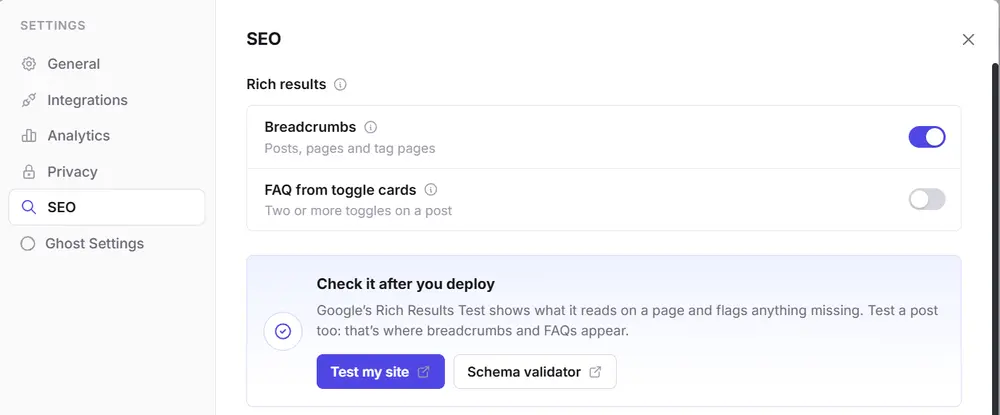
Open your theme in Ectobuilder, go to Settings → SEO, and switch on Breadcrumbs under Rich results. Your theme now adds BreadcrumbList data to every post (Home › primary tag › post), page (Home › page) and tag page (Home › tag). Titles are encoded safely, so quotes and ampersands don't break anything.
2. Add the visible breadcrumb trail
Switch to the Post template, click Add section, search for Breadcrumb and add it. Move it to the top of the post, just under the header. It shows Home, the post's primary tag and the post title. If a post has no tag, the middle step disappears on its own, so you never see an empty link.
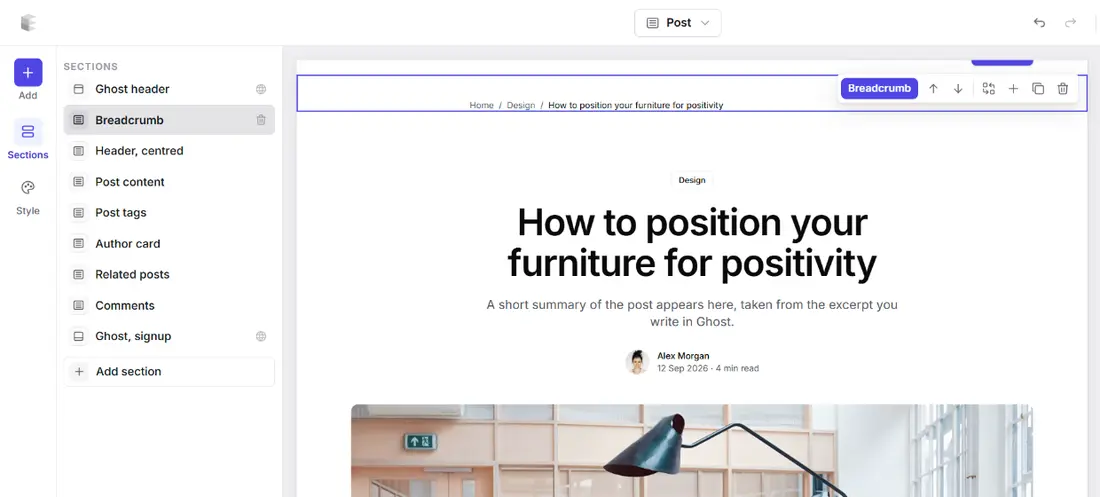
Like every section, you can change its colours, spacing and width, and the trail uses your theme's fonts.
3. Deploy and test
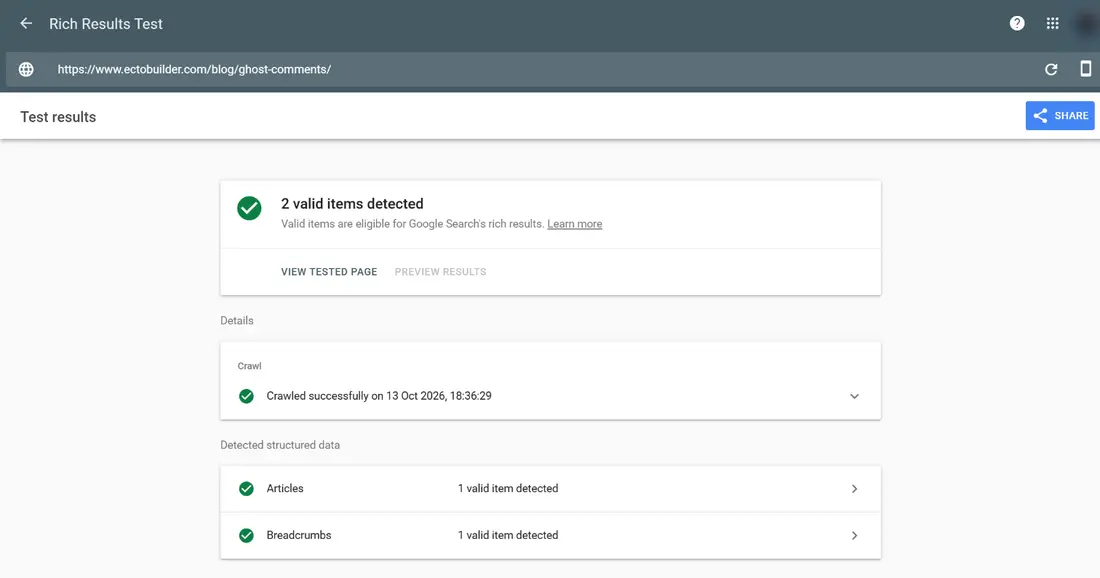
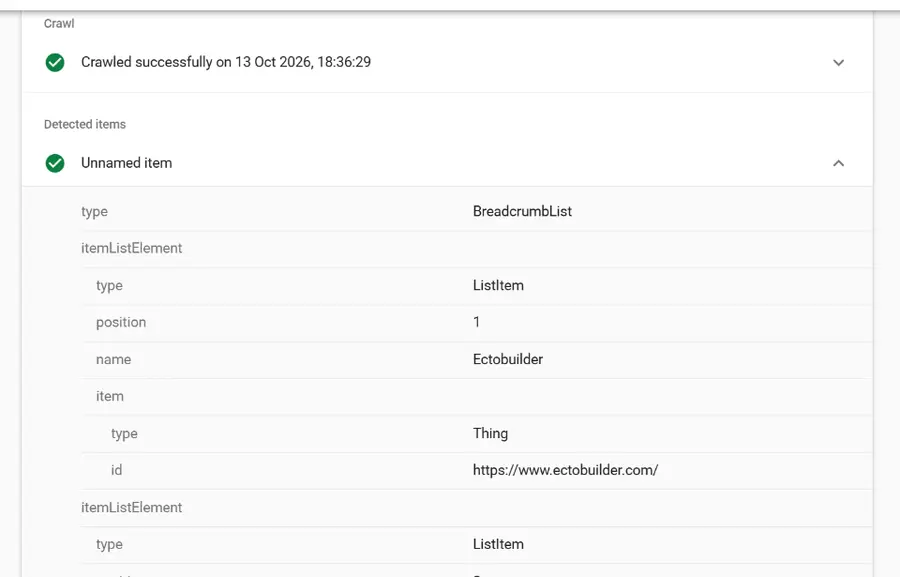
Deploy the theme to your Ghost site. Then, in the same SEO settings, click Test my site to open Google's Rich Results Test, and test a post rather than your homepage, since that's where breadcrumbs appear. You should see Breadcrumbs: 1 valid item, with each step listed.

Breadcrumbs, FAQ data and redirects, without code. Ectobuilder themes come with the SEO details Ghost leaves out. Turn them on with a switch and publish to your Ghost site.
Breadcrumb best practices
- Use your primary tag as the middle step. In Ghost, the first tag on a post is its primary tag. Pick it deliberately: it decides the breadcrumb and where the post's internal link goes.
- Keep internal tags out. Tags that start with # are hidden in Ghost and shouldn't be primary tags.
- Make the visible trail and the data match. Search engines can treat data that doesn't match the page as misleading.
- Don't link the current page. The last step is plain text, marked as the current page for screen readers.
- Keep it short. Home, topic, page. Three steps are plenty for most Ghost sites.
- Give tag pages something to show. If breadcrumbs send readers to a tag page, make it worth landing on, with a description and a good post list. See how to add search and filters to your Ghost blog.
Breadcrumbs and the rest of your Ghost SEO
Breadcrumbs are one piece of a tidy site structure. The others are worth a look too: redirecting missing pages after a migration, catching the made-up URLs AI assistants send people to, and clear navigation with dropdown menus for your main topics. On long posts, a table of contents helps readers find their way in the same way.
FAQ
Are breadcrumbs a ranking factor?
Not directly. They help indirectly: they explain your site's structure, add internal links to your topic pages, can improve how your result looks on desktop, and keep visitors browsing.
Does Google still show breadcrumbs in search results?
On desktop, yes. Since January 2025, mobile results show only the site name and domain. Google still reads breadcrumb structured data on every device.
Do I need both the visible trail and the structured data?
Ideally, yes. The data is what search engines read; the visible trail is what readers use and what makes the internal links real. If you only do one, do the structured data.
What if a post has no tag?
The trail becomes Home › post. Ectobuilder drops the tag step from both the visible trail and the data, so there are no empty links.
Sources
Written by
Founder of Ectobuilder, the AI-powered visual theme editor for Ghost. Indie software builder in Wrocław and co-author of The AdTech Book. I write about Ghost themes, newsletters and building websites with AI.
Comments
Questions or thoughts? Share them below.
Keep reading
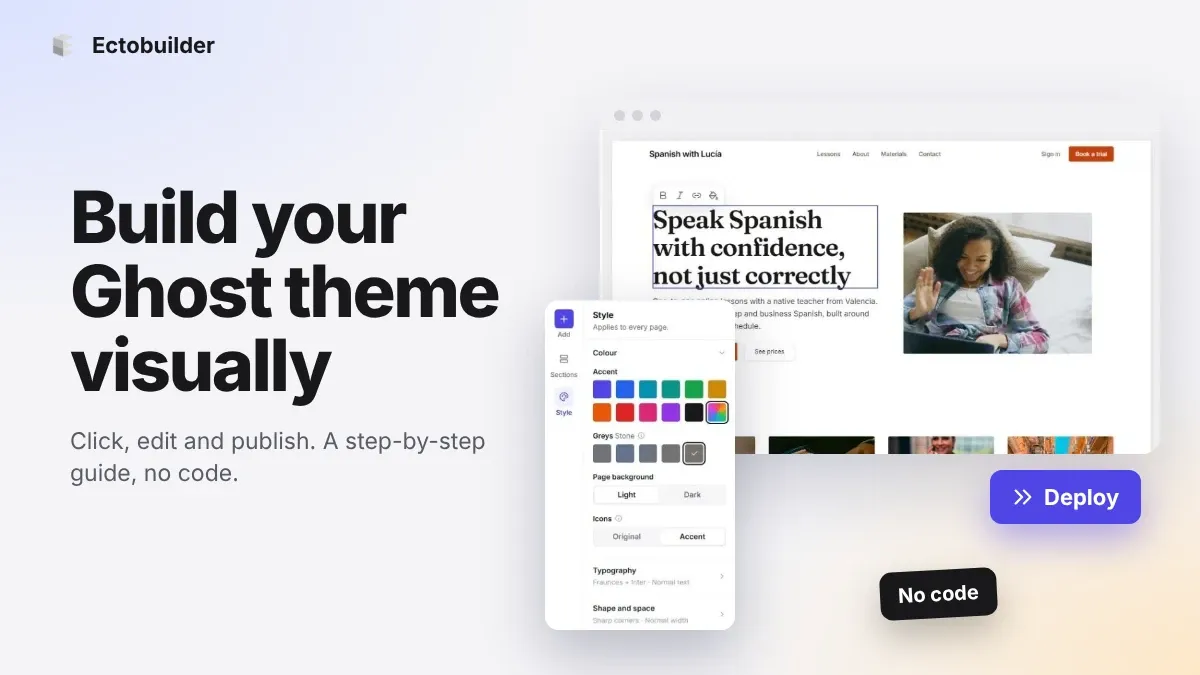
How to Build Your Ghost Theme Visually (Step-by-Step Guide, No Code)
Build a complete Ghost theme without touching code: start from a theme, edit text and pictures in place, add sections from a library of 270, set colours and fonts, design every page, and publish to Ghost in one click. Step by step, with screenshots.
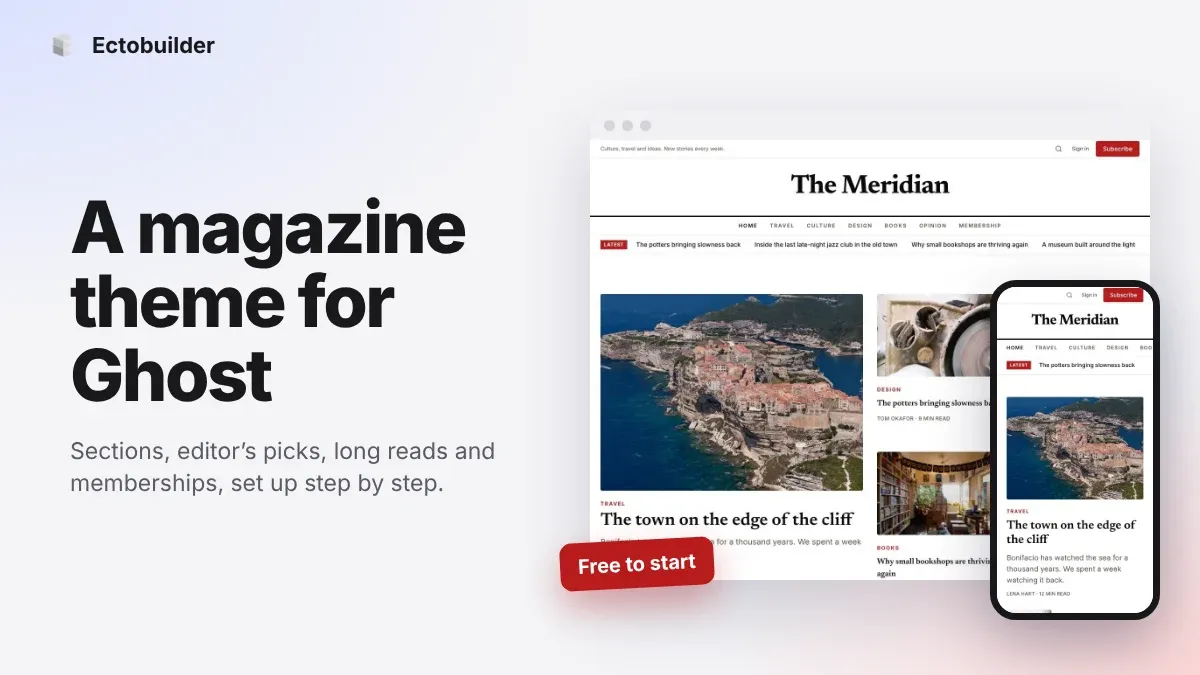
Magazine Theme for Ghost: Sections, Editor's Picks, Long Reads and Memberships
A step-by-step guide to the Magazine theme for Ghost: turn sections into tags, set up the navigation, fill the front page, editor's picks and section fronts, add your writers, sell memberships and send a weekly newsletter.
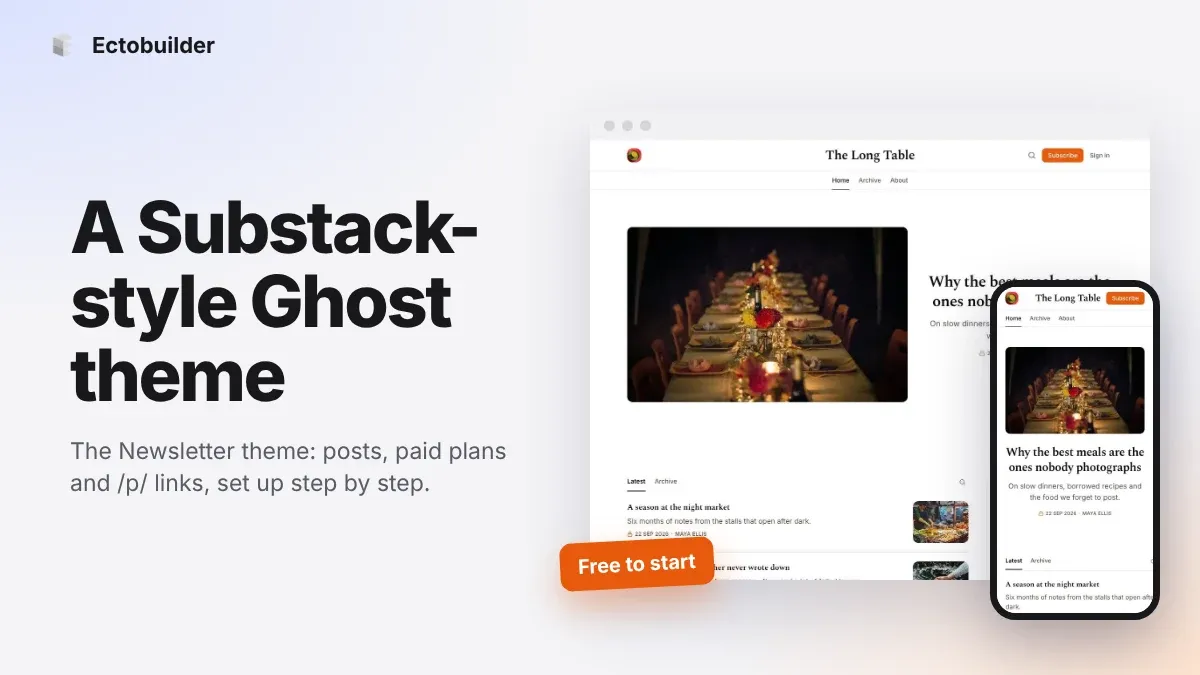
Newsletter Theme for Ghost: A Substack-Style Site With Paid Plans, /p/ Links and Comments
A step-by-step guide to the Newsletter theme for Ghost: a Substack-style homepage and reading page, then newsletters, paid plans, /p/ addresses, Plans, Welcome and About pages, comments and recommendations.